
Quote
Create a quote: fast, tidy, from your iPhone.
Write quotes right on your iPhone, with your logo, colour and VAT. Send them as a PDF and turn them into an invoice with one tap.
- 5 invoices free
- No subscription
- No account

In short
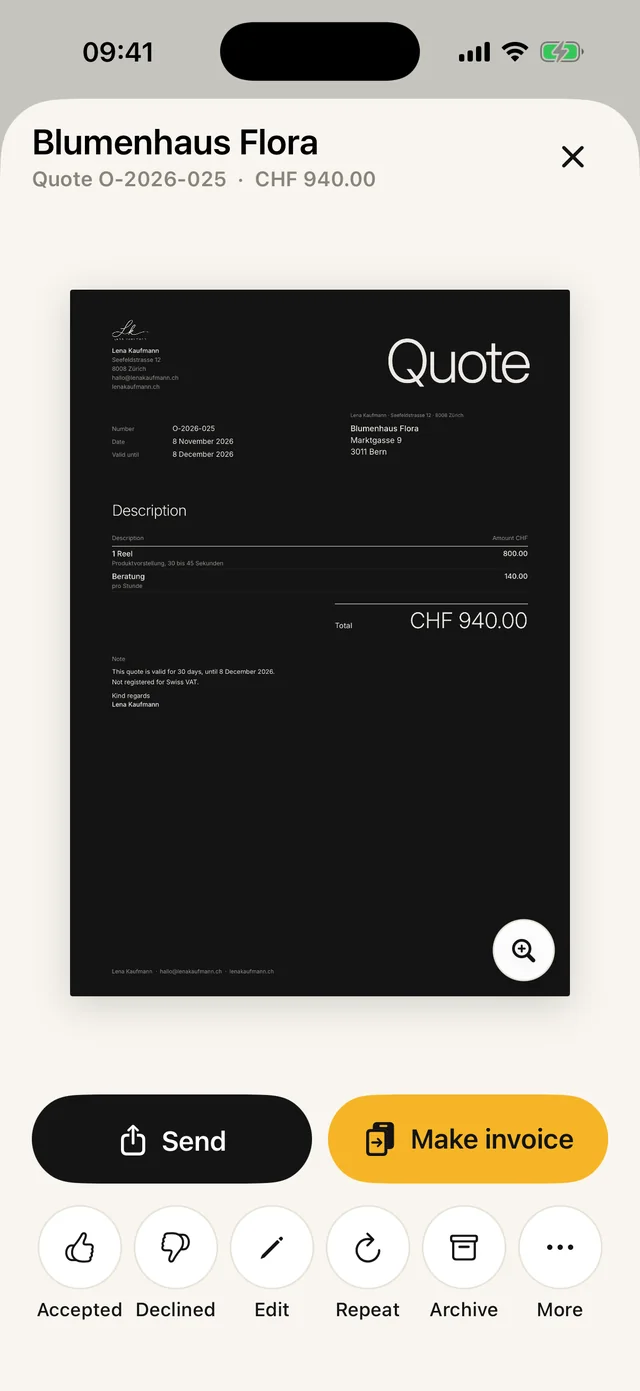
A quote says what you would do and at what price. In Paidoo you write it like an invoice, with your logo and your items. If your customer says yes, the quote becomes the invoice with one tap, including the QR payment part.
iNo guarantee. We explain the basics to the best of our knowledge, as of November 2026. The information applies to Switzerland unless stated otherwise. Laws, rates and thresholds change and depend on your situation. This is not legal or tax advice. If in doubt, ask your tax office or a professional.
What goes in a quote
- Your details and your customer’s details
- Date and quote number
- What you will do, with quantity, unit price and total
- How long it is valid, for example 30 days
- Terms such as a deposit, dates or what is not included
Is a quote binding?
In Switzerland you are generally bound by a quote until the deadline you set runs out. That is why every quote should say how long it is valid. If you want it to be non-binding, say so clearly, for example "non-binding estimate".
In German, "Offerte" and "Angebot" mean the same thing. In Switzerland people usually say Offerte, in Germany and Austria Angebot. Paidoo uses the right word for the country.
How it works in Paidoo
- 01New quote
Tap the plus and choose "New quote".
- 021 · Who
Pick a saved customer, import one from Contacts or type a new one.
- 032 · What
Tap presets or write a custom item, with quantity and price. You can add a description or a link to each item.
- 043 · Check
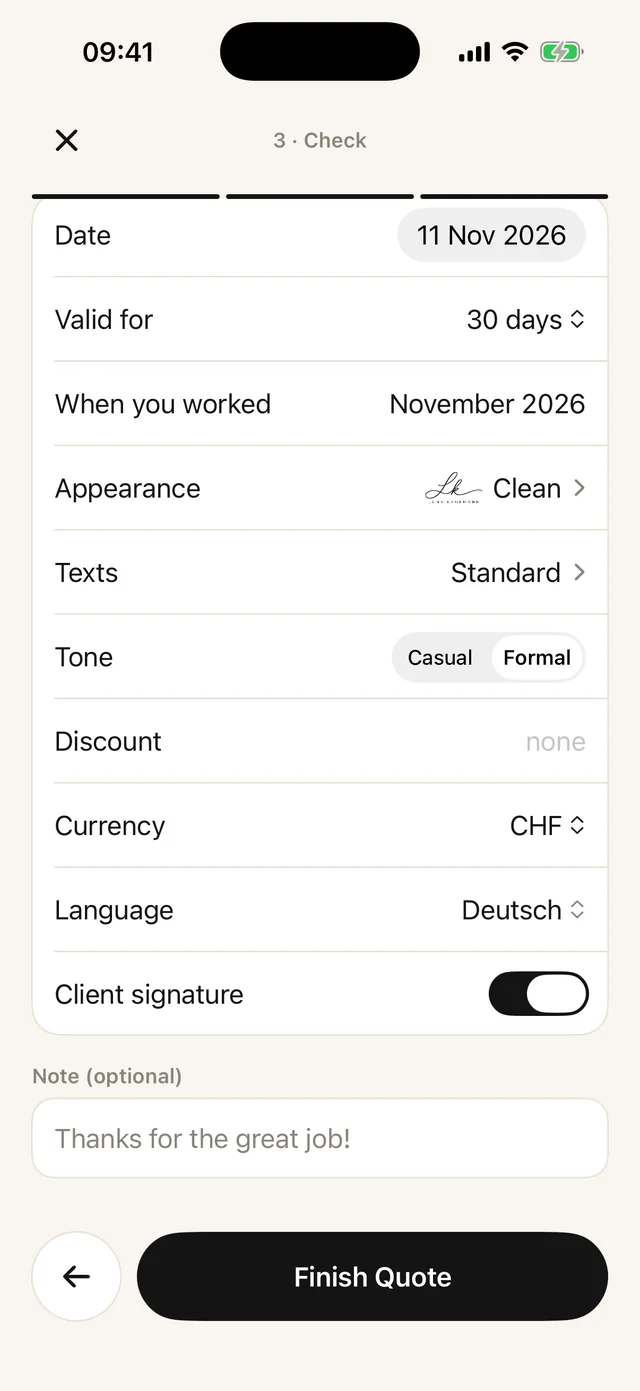
Under "Valid for" you choose 10 to 60 days. The PDF then says, for example, "This quote is valid for 30 days, until 10 December 2026."
- 05Finish and send
The quote gets its own number starting with O-, such as O-2026-009, and goes out as a PDF by email or message.
After sending: yes or no
In the quote you record how it went: with "Accepted" or "Declined". Open quotes are in the "Quotes" list.
If your customer says yes, you turn the quote into the invoice with one tap. Paidoo copies the customer, items and discount and opens the "3 · Check" step straight away. The invoice says, for example, "As per quote O-2026-009.", and the quote shows which invoice it became.
Tips before you send
- Describe each item so that your customer understands what they get without having to ask.
- Put dates, the payment term or what is not included in the note. It appears on the quote.
- Look at the quote in the large preview before you send it.
- A similar quote to last time? With "Repeat" you make a copy with a new date and a new number.
Have the quote signed
If your customer should accept the quote in writing, Paidoo adds a signature field at the bottom of the quote: «Quote accepted», with «Place, date» and «Signature» underneath.
You switch it on in the last step «Check» with «Client signature». It is off by default. The field fits every design.
Your customer signs the printed quote or the PDF and sends it back to you.
In Paidoo
How it works, in three steps.
- 1New quote
Choose the customer and tap items from your catalogue.
- 2Set how long it is valid
Paidoo suggests a deadline, and you adjust it.
- 3The quote becomes an invoice
Once your customer says yes, you turn the quote into the invoice, with everything already filled in.
Questions
Frequently asked questions.
Write to us. We answer personally, usually the same day.
support@paidoo.appWhat is the difference between "Offerte" and "Angebot"?
None, it is the same document. In Switzerland it is usually called Offerte, in Germany and Austria Angebot.
How long is a quote valid?
As long as you write on it. 30 days is usual. If you send it without a deadline, you are bound until a reply would normally be expected. If you make it verbally without a deadline, it is only valid if your customer says yes straight away.
Can I design the quote with my own logo?
Yes, with Paidoo Pro. Your logo and colour apply to quotes, invoices and all other documents.
Are quotes included in the free version?
Yes. You can write quotes, reminders and payment reminders without Pro too.
Do quotes count towards the 5 free invoices?
No. Quotes never count, however many you write. Only the invoice you make from a quote counts as an invoice.
What happens to the quote when I turn it into an invoice?
It stays and counts as accepted. The invoice gets its own invoice number and refers to the quote.
Can my customer sign the quote?
Yes. Switch on «Client signature» in the «Check» step. The bottom of the quote then shows «Quote accepted» with «Place, date» and «Signature».
You do the work.Paidoo does the invoice.
Invoices in a minute on the iPhone, iPad and Mac. No account, no subscription, your data stays with you. The first 5 invoices are free, Pro is a one-off CHF 29.