
Checklist
What an invoice must include: the checklist for Switzerland.
What belongs on an invoice in Switzerland, with and without VAT. A checklist to tick off, plus tips for customers in the EU.
- 5 invoices free
- No subscription
- No account
In short
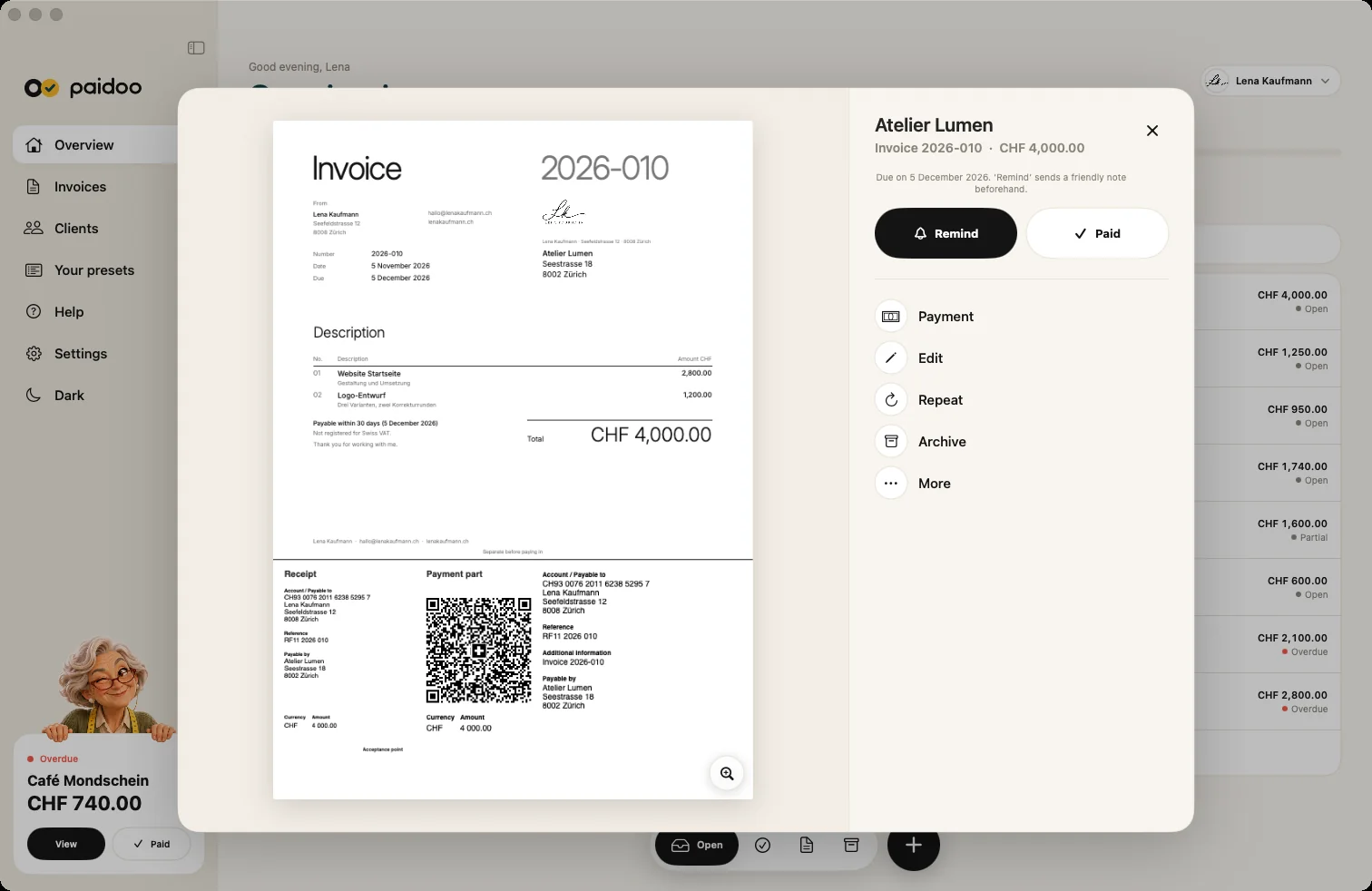
If you are not registered for VAT, there are hardly any fixed rules in Switzerland, but an invoice should clearly show who is charging what to whom. If you are registered for VAT, the VAT Act requires certain details. Paidoo fills them in to suit your situation.
iNo guarantee. We explain the basics to the best of our knowledge, as of November 2026. The information applies to Switzerland unless stated otherwise. Laws, rates and thresholds change and depend on your situation. This is not legal or tax advice. If in doubt, ask your tax office or a professional.
Recommended for all invoices
- Your name and address and those of your customer
- Invoice date and invoice number
- Service or goods with the date or period
- Quantity, price and total amount
- Payment deadline and payment details

Also needed if you are registered for VAT
- Your VAT number (CHE-123.456.789 MWST)
- Tax rate and tax amount. If the price already includes the tax, the tax rate is enough, for example "incl. 8.1% VAT"
- With several rates, the breakdown by rate
The rates in Switzerland are 8.1 per cent (standard), 2.6 per cent (reduced) and 3.8 per cent (accommodation). Paidoo knows them, and the rates of the EU countries where Paidoo is available.
For customers in the EU
For companies in the EU, you usually add your customer’s VAT ID and the reverse charge note. There is more about this on the page about reverse charge invoices.
What Paidoo fills in itself
You do not have to type many details every time. Paidoo takes them from your settings and keeps count itself:
- Your name, address and IBAN
- The invoice date and a consecutive number, for example 2026-001
- The payment deadline with a date, for example «Payable within 30 days»
- With a VAT number: your number, the rate and the tax amount
- Without a VAT number: the note «Not registered for Swiss VAT.»
- In Switzerland and Liechtenstein, the QR payment part
The check before you send
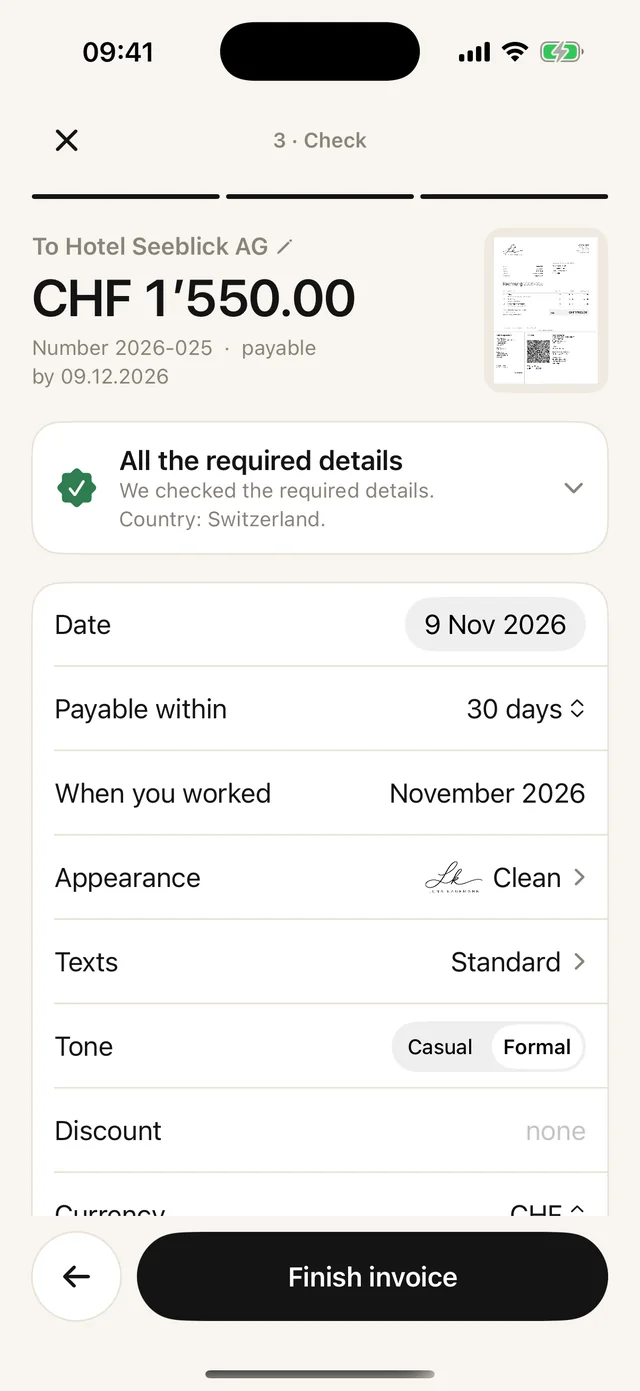
- 01Go to «Check»
After «Who» and «What» you come to the «Check» step.
- 02Read the note
At the top it says «All the required details» or «Something’s missing», with the reason.
- 03Fill the gap
With «Add now» you add what is missing straight away, without leaving the invoice.
- 04Enter the period
Under «When you worked» you write when you did the work, for example «October 2026».
The check is a help, not a guarantee and not tax or legal advice. You are responsible for the invoice yourself.
In Paidoo
How it works, in three steps.
- 1Set up once
Country, VAT yes or no and, if needed, your VAT number.
- 2Write
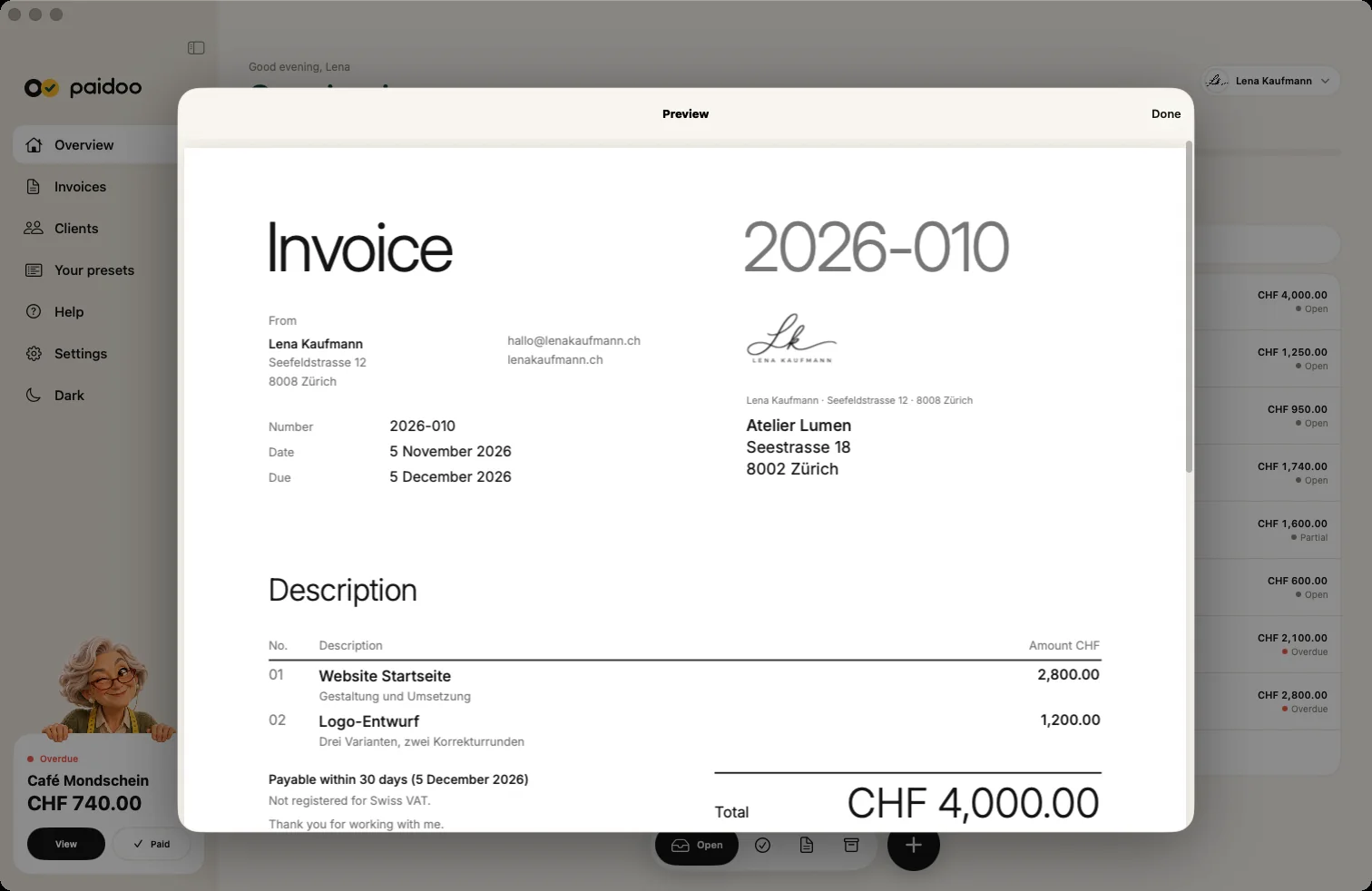
Paidoo adds the date, number, tax and payment details automatically.
- 3Check
In the preview you see the finished invoice before you send it.
Questions
Frequently asked questions.
Write to us. We answer personally, usually the same day.
support@paidoo.appWhat must be on an invoice in Switzerland?
If you are not registered for VAT, the law does not require any particular details. For the invoice to be clear, it should show who, to whom, when, what and how much, plus the payment details. If you are registered for VAT, the VAT Act also requires your VAT number and the tax rate, and usually the tax amount too.
Do invoice numbers have to be consecutive?
In Switzerland this is not explicitly required, but it is strongly recommended. That way every invoice stays unique. Paidoo keeps counting automatically.
What happens if a detail is missing?
Your claim to payment still stands. If VAT details are missing, this can cause your customer problems when reclaiming input tax. They may ask for a correct invoice, and you then issue a corrected invoice.
What is different for customers in Germany or Austria?
If you write from Switzerland to customers there, the Swiss rules generally apply, for companies often with a reverse charge note. For private customers, tax may also be due there depending on the service, for example for work on a house or for digital services. Ask a professional in that case. If your business is based in Germany or Austria, their own required details apply. As a Kleinunternehmer (small-business VAT scheme), this includes a note about the tax exemption. Paidoo knows the usual required details for both countries.
How do I correct an invoice I have already sent?
Open the invoice and tap «Edit». Paidoo then offers «Cancel and write a corrected one»: this creates a credit note for the full amount and a new invoice with a new number. You can also fix small typos directly and send the invoice again.
Where do I enter my VAT number?
In the settings under «About you», in the «Taxes» part. There you answer «Do you have a VAT number?» and type in the number. Paidoo then puts it on every new invoice.
You do the work.Paidoo does the invoice.
Invoices in a minute on the iPhone, iPad and Mac. No account, no subscription, your data stays with you. The first 5 invoices are free, Pro is a one-off CHF 29.