
Side job
Invoice for your side job: simple, correct, from your iPhone.
Class, job or collaboration: how to write a clean invoice with a QR payment part next to your main job, right on your iPhone and with no subscription.
- 5 invoices free
- No subscription
- No account

In short
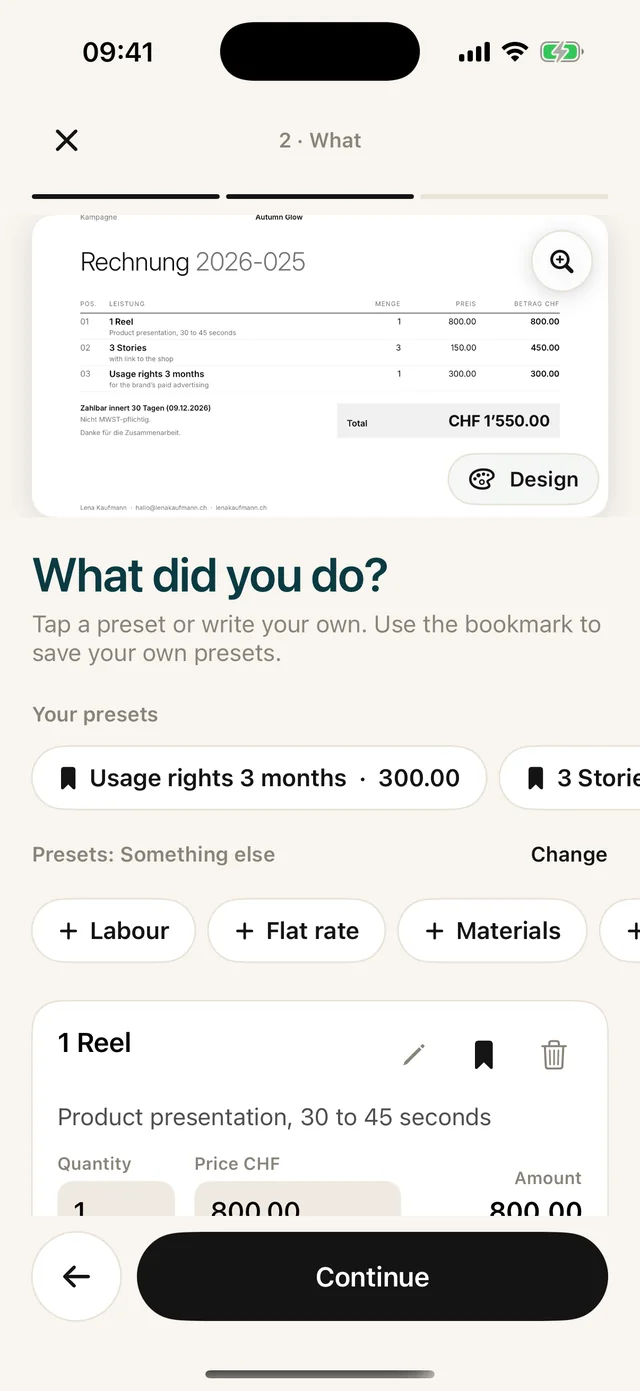
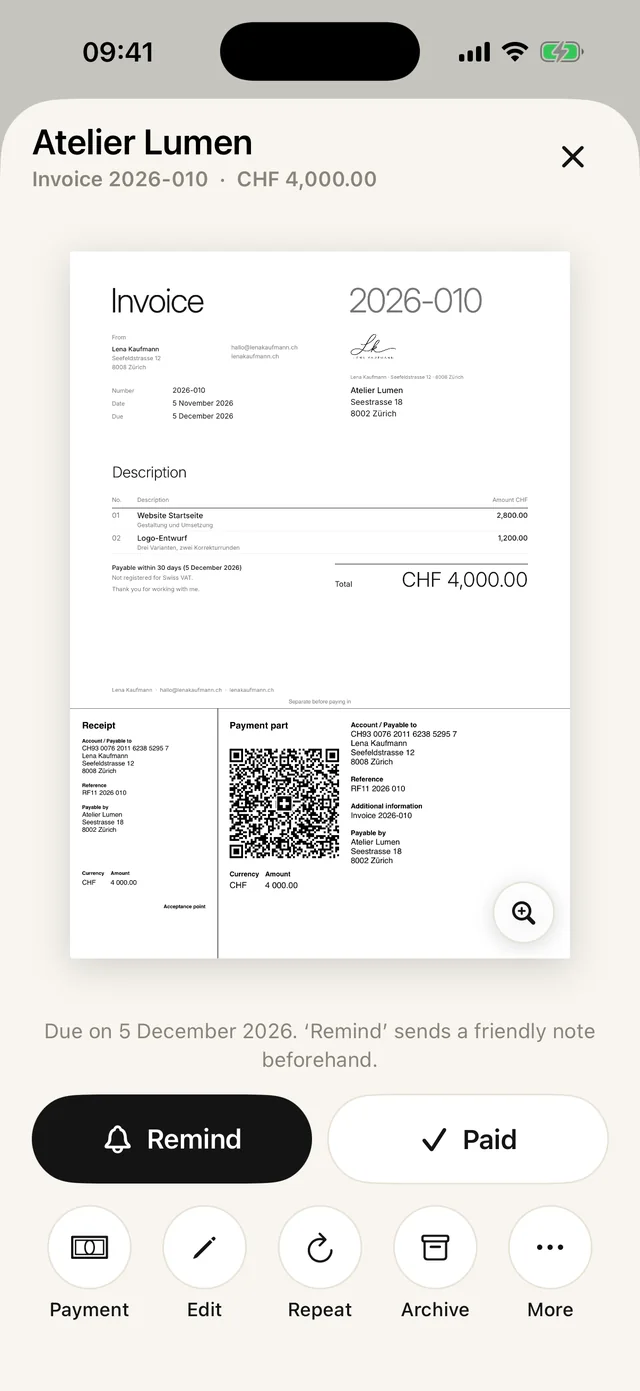
In a side job you do not write a hundred invoices, but each one should be right. Paidoo asks once what you do, brings matching items and, in Switzerland, adds the QR payment part at the bottom. That way the invoice is ready in a minute.
iNo guarantee. We explain the basics to the best of our knowledge, as of November 2026. The information applies to Switzerland unless stated otherwise. Laws, rates and thresholds change and depend on your situation. This is not legal or tax advice. If in doubt, ask your tax office or a professional.
Who this is for
- Teaching classes: yoga, music, tutoring, language courses
- Creators: collaborations, photos, videos, texts
- Crafts in the evening: furniture, repairs, assembly
- Selling handmade things: ceramics, jewellery, baked goods
- Services: graphic design, websites, translations, consulting
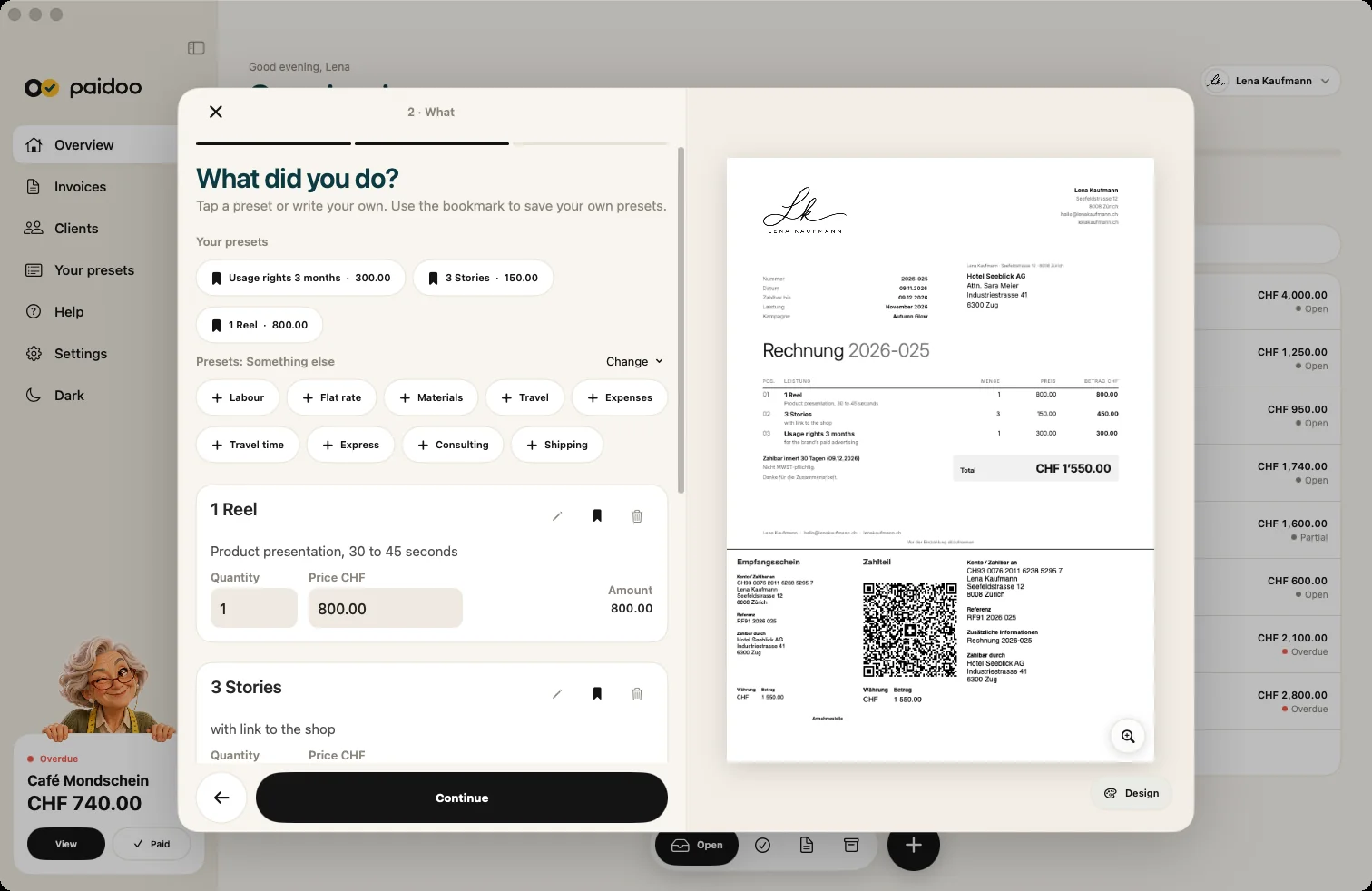
Paidoo knows 47 kinds of work and brings over 350 building blocks, for example "Class 60 minutes" or "Logo design". You tap them and adjust the price.

What to watch out for in a side job
- Use consecutive invoice numbers so nothing is doubled.
- Describe the service and the date clearly, even for package prices.
- Set a payment deadline, 10 to 30 days is usual.
- Keep all your invoices. Paidoo keeps an archive, and the «Accounting package» gives you all documents of a year as a PDF, for example for your tax return.
Whether your side job counts as self-employed work and means paying AHV contributions (Swiss social security) is decided by the compensation office. You usually only have to register for VAT from CHF 100,000 turnover a year.
From quote to invoice
For bigger jobs you send a quote first. Quotes are free and do not count towards the 5 free invoices.
- 01Write the quote
Choose the customer and items as for an invoice. On the Mac you open a new quote with ⇧⌘N.
- 02Wait for the yes
Once your customer agrees, you turn the quote into an invoice with one tap. Customer and items are carried over.
- 03Check and send
The new invoice opens at the «Check» step. Check the date and payment deadline, finish it and send it.
- 04Record the payment
When the money arrives, tap «Paid». If only part of it arrives, record it as a part payment under «Payment».
Billing monthly classes
If you teach the same people every month, you do not have to start from scratch each time.
- Open the last invoice and tap «Repeat». Customer and items are already in, and you land straight on «Check».
- When you start a new invoice, Paidoo suggests your recent customers under «Same as last time»: same items, new date.
- Under «When you worked» you enter the new month, for example «November 2026».
- The number counts up by itself, and no number is ever used twice.
In Paidoo
How it works, in three steps.
- 1Choose your work
When setting up, you say what you do. Paidoo suggests the matching items.
- 2Customer and items
Pick a customer from your contacts or add a new one, tap the items, check quantity and price.
- 3Send and tick off
Send the PDF, and as soon as the money arrives, swipe right: paid.
Questions
Frequently asked questions.
Write to us. We answer personally, usually the same day.
support@paidoo.appHow do I write an invoice for side income?
Like any other invoice: your details, your customer’s details, date, number, service, amount and payment details. With Paidoo you only choose the customer and the items, and the app fills in the rest.
Do I have to charge VAT in a side job?
Usually only from CHF 100,000 turnover a year. Below that, you write invoices without VAT, and Paidoo leaves it out automatically.
Can I send the same invoice to companies and private people?
Yes. For companies you can also add an order number or a contact person. For companies in the EU, Paidoo adds the reverse charge note if needed.
How do I see which invoices are unpaid?
The Paidoo home screen shows all unpaid invoices with their due dates. If you like, the app reminds you when one becomes due.
What do I do if only part is paid?
You record the amount as a part payment. The invoice then shows «Already paid» and «Balance due», and the next reminder only asks for the rest.
Can I carry on writing on my Mac in the evening?
Yes. Paidoo runs on iPhone, iPad and Mac. With iCloud sync, which is on from the start, you have the same invoices everywhere with the same Apple ID. You only buy Pro once.
You do the work.Paidoo does the invoice.
Invoices in a minute on the iPhone, iPad and Mac. No account, no subscription, your data stays with you. The first 5 invoices are free, Pro is a one-off CHF 29.