
iCloud
No account. Your Apple ID is enough.
Paidoo needs no account. Your Apple ID and your own iCloud keep invoices the same on iPhone, iPad and Mac. Here is how it works.
- 5 invoices free
- No subscription
- No account

In short
With Paidoo you do not create an account, there is no sign-up and no password. Your invoices are on your device and, with iCloud sync, in your own iCloud. If you are signed in with the same Apple ID on iPhone, iPad and Mac, you have the same invoices, customers and details everywhere.
iNo guarantee. We explain the basics to the best of our knowledge, as of November 2026. The information applies to Switzerland unless stated otherwise. Laws, rates and thresholds change and depend on your situation. This is not legal or tax advice. If in doubt, ask your tax office or a professional.
One iCloud. All your devices.
Paidoo puts your data into your own private iCloud, entry by entry. Every device with the same Apple ID syncs there. There is no Paidoo server.
Your iCloudYour private iCloud, just for you. No Paidoo server in between.
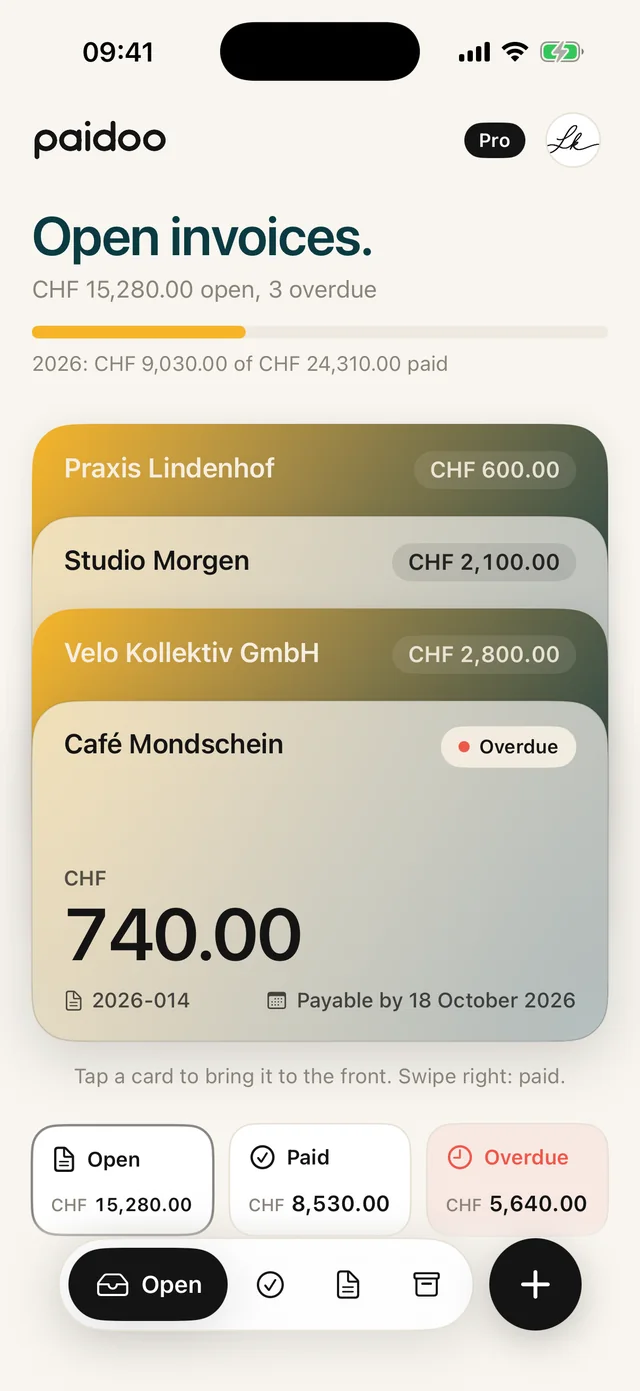

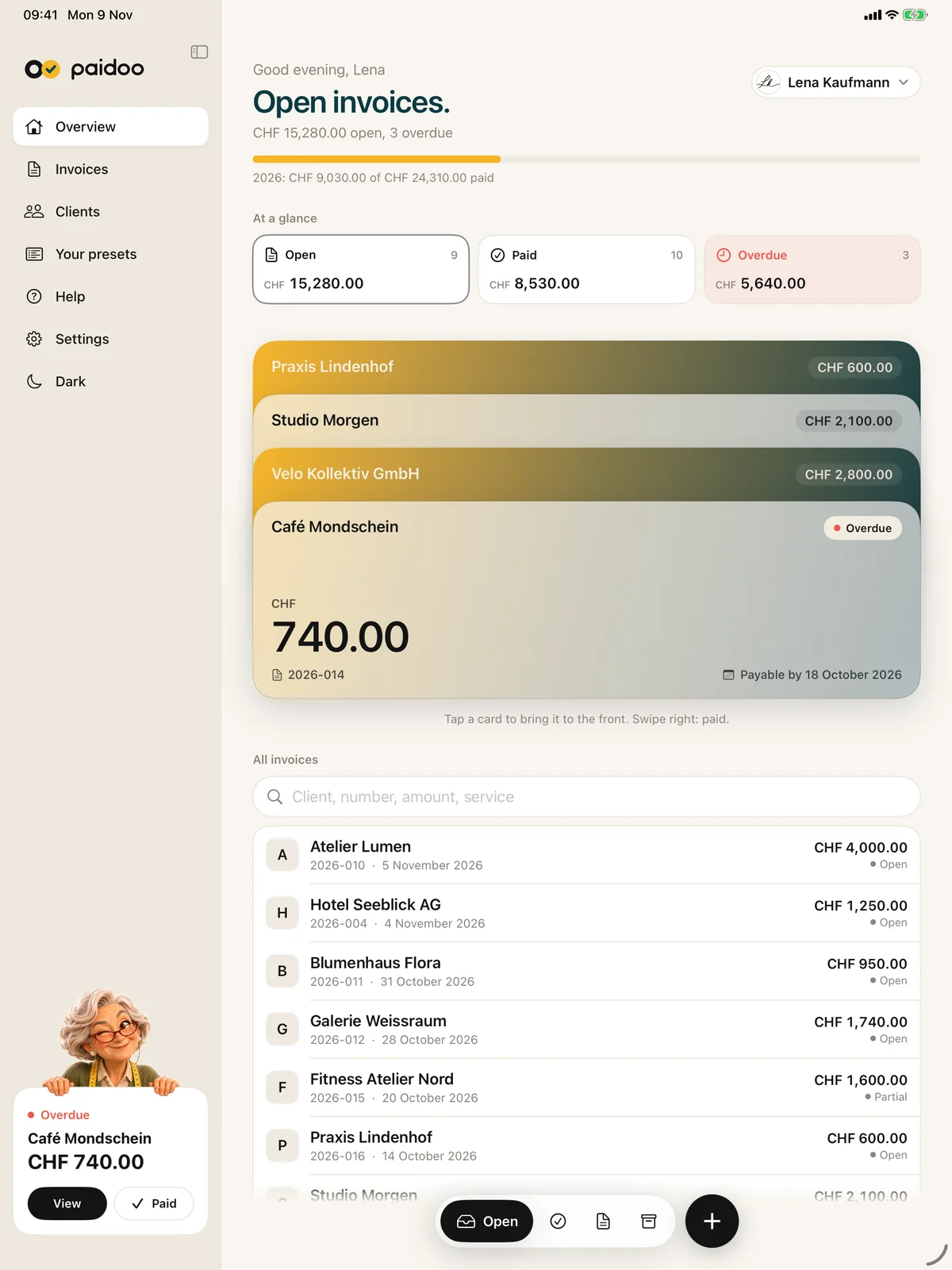

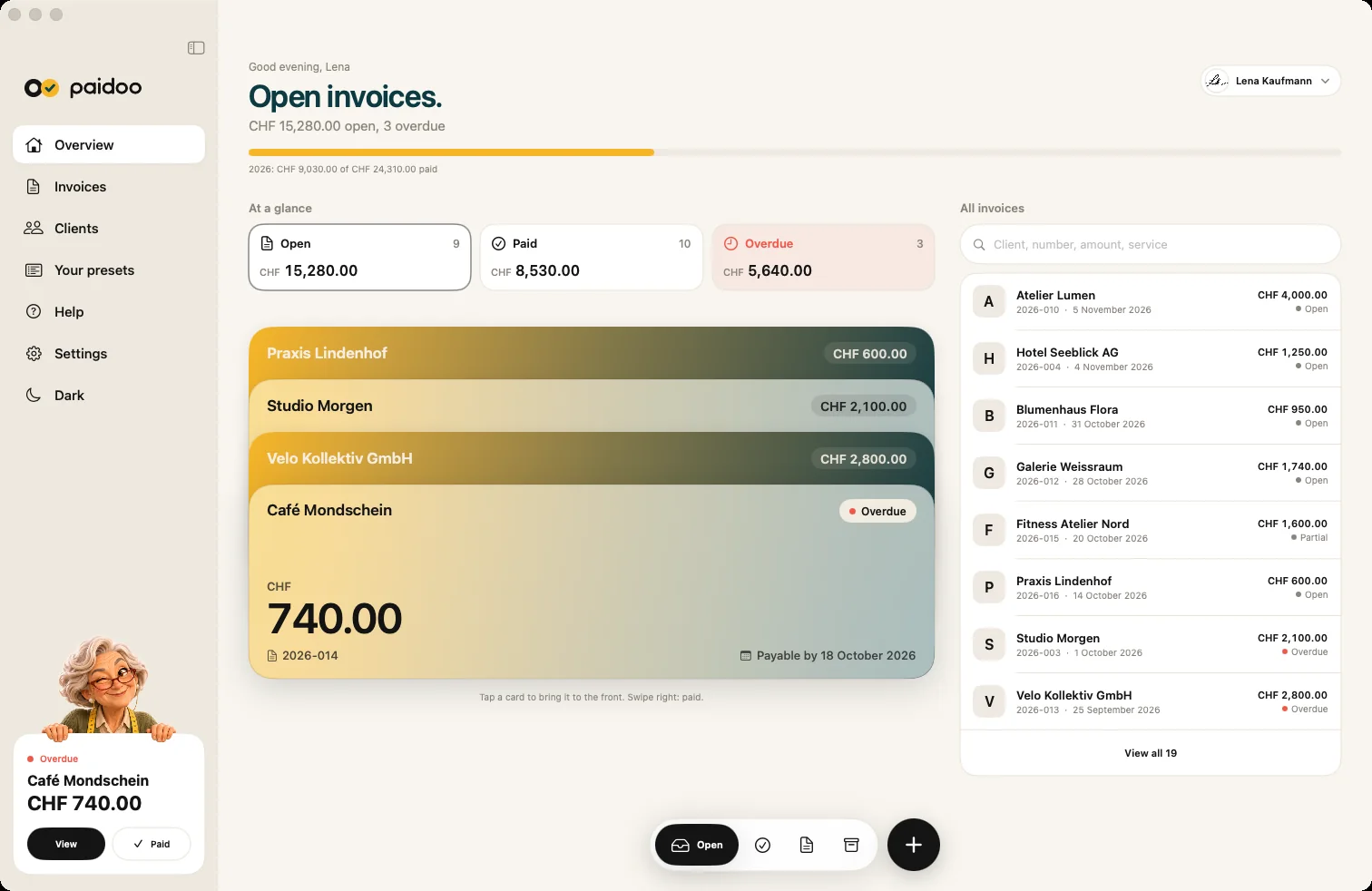

How it looks in Paidoo.
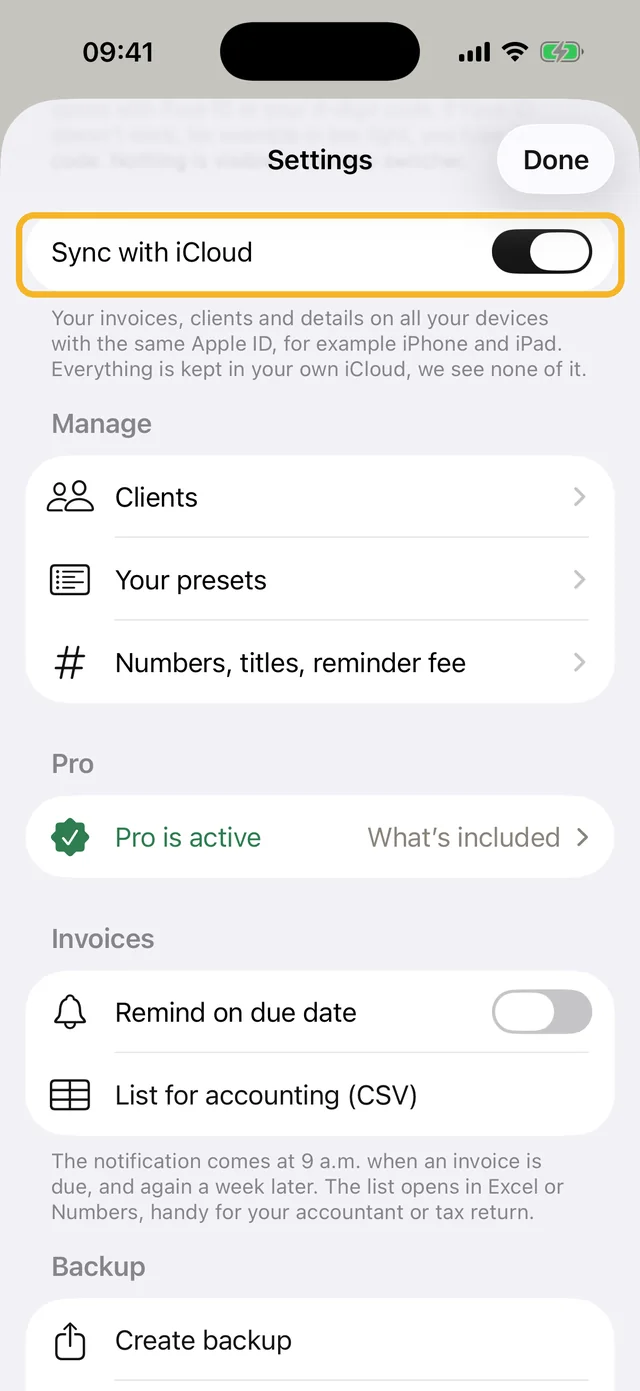
Two places in the app worth knowing.
You find «Sync with iCloud» in Settings. It is switched on by default.
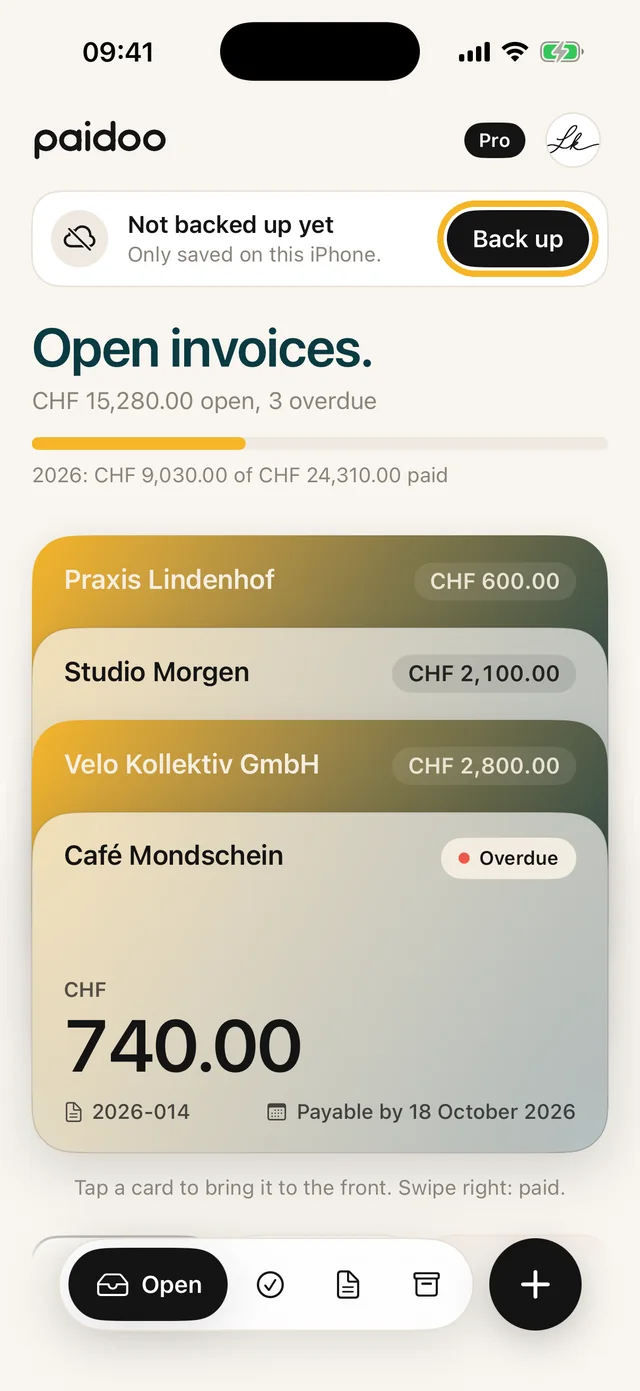
If nothing is backed up, the home screen shows «Not backed up yet». With «Back up» you turn on iCloud or create a backup file.
Why no account is needed
Many invoicing programs store your data on their own server. For that you need an account with email and password, and the provider has your invoices.
Paidoo has no server. The app stores everything on your device. To sync between your devices it uses your iCloud, which you already have from Apple. We see none of it.
What «the same Apple ID» means
Your Apple ID is the email address you use to sign in with Apple, for example for the App Store and iCloud. Apple now also calls it Apple Account.
On iPhone and iPad you find it at the very top of Settings, under your name. On the Mac it is in System Settings, also under your name.
If the same address appears on all devices, it is the same Apple ID. Then all devices belong to the same iCloud, and Paidoo can sync.
What to switch on
- Be signed in with the same Apple ID on all devices.
- Be signed in to iCloud: at the top of Settings under your name.
- Leave «Sync with iCloud» switched on in Paidoo. That is the default.
- Open Paidoo. Changes from your other devices arrive by themselves. On iPhone, pull down on the home screen to fetch the latest state.
What is synced and what is not
| What | Synced |
|---|---|
| Invoices, quotes, credit notes and reminders | yes |
| Customers and your presets | yes |
| Your details, logo and businesses | yes |
| Paidoo Pro | works on all devices with the same Apple ID |
| Code for the app lock | no, stays on the device |
| Reminder on the due date | no, switch on per device |
| Recently Deleted | yes, 30 days on all devices |
Without iCloud
You can switch sync off in Settings at any time. Paidoo then stops syncing, and new changes stay on this device. What is already in iCloud stays there until you delete it in your device’s settings under iCloud.
In that case, create a backup file regularly and keep it outside the device. Paidoo reminds you with the note «Not backed up yet». With the file you also take your data to a new device or a new Apple ID.
In Paidoo
How it works, in three steps.
- 1Same Apple ID
Sign in with the same Apple ID on iPhone, iPad and Mac.
- 2Signed in to iCloud
Be signed in to iCloud in Settings under your name.
- 3Open Paidoo
«Sync with iCloud» stays on, and your invoices are on all devices.
Questions
Frequently asked questions.
Write to us. We answer personally, usually the same day.
support@paidoo.appDo I need an account for Paidoo?
No. Paidoo has no sign-up, no account and no password. Your Apple ID, which you use on your device anyway, is enough.
Where is my data?
On your device and, with iCloud sync, in your own private iCloud. Paidoo has no server, we do not see your data.
Where do I see my Paidoo data in iCloud?
In the iPhone settings under your name, «iCloud», in the storage section. Paidoo is listed there with the space it uses, and you can also delete the data in iCloud there. There is no Paidoo file in iCloud Drive or in the Files app.
What happens if I change something on two devices at the same time?
Paidoo syncs entry by entry. If you change the same entry on two devices, the newer change applies.
Can I get back something I deleted?
Yes, for 30 days. Deleted documents stay under «Recently Deleted», on all your devices. After that they are gone for good.
Can I share my invoices with someone else, for example my accountant?
Sync only works for your own Apple ID. For your accountant, send single invoices as PDF or the «Accounting package» with all documents of a period.
My iPad uses a different Apple ID. What now?
Then Paidoo does not see the data there. Sign in with the same Apple ID, or take your data with you in a backup file. Your data never goes into another iCloud without asking.
Does syncing cost anything?
Paidoo charges nothing for it. The data is stored in your iCloud and takes up little space there.
Do I have to buy Paidoo Pro on every device?
No. Pro is a one-off purchase for your Apple ID and works on iPhone, iPad and Mac.
You do the work.Paidoo does the invoice.
Invoices in a minute on the iPhone, iPad and Mac. No account, no subscription, your data stays with you. The first 5 invoices are free, Pro is a one-off CHF 29.