
Mac
Write an invoice on your Mac: here is how.
Write invoices on your Mac, with your logo and VAT rate, with a QR payment part in Switzerland. Step by step, with shortcuts, no subscription.
- 5 invoices free
- No subscription
- No account

In short
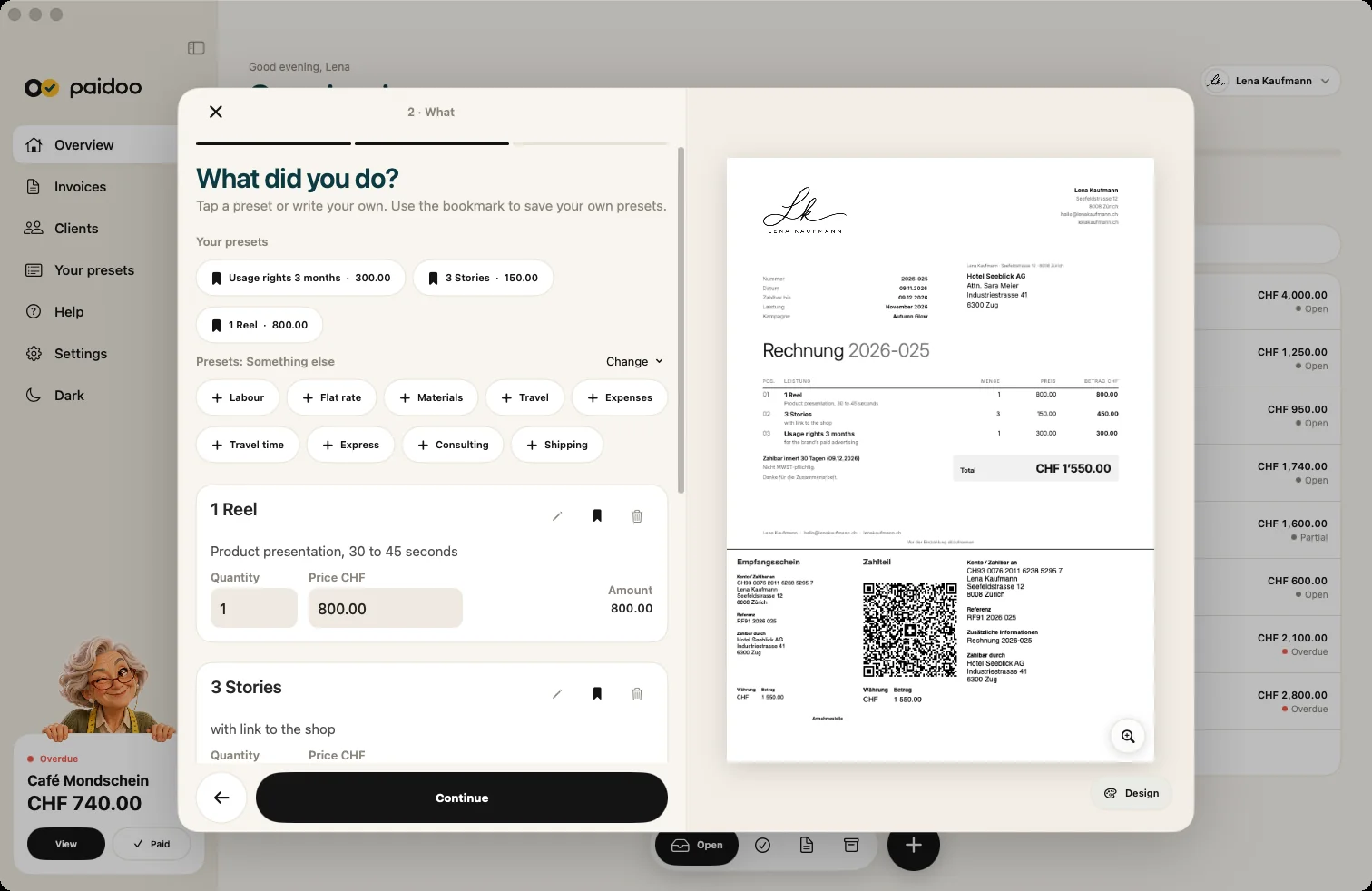
With Paidoo you write invoices right on your Mac, from macOS 26. The sidebar on the left, the steps «Who», «What» and «Check» in the middle, and at the end a PDF that you send or print. In Switzerland and Liechtenstein the QR payment part is added. The first 5 invoices are free, after that you buy Pro once.
iNo guarantee. We explain the basics to the best of our knowledge, as of November 2026. The information applies to Switzerland unless stated otherwise. Laws, rates and thresholds change and depend on your situation. This is not legal or tax advice. If in doubt, ask your tax office or a professional.
What you need
- A Mac with macOS 26 or later.
- Your address and your IBAN. Paidoo checks the IBAN as you type.
- For unlimited invoices, your logo and your colour: Paidoo Pro, CHF 29 once.
How to write the invoice
- ⌘N opens a new invoice, ⇧⌘N a new quote.
- At «Who» you type the name. Paidoo suggests known customers.
- At «What» you add your services. «Your presets» show up as you type, with their price.
- At «Check», Paidoo shows whether the usual required details are on it.
- «Finish invoice» creates the PDF. You send it by email or print it.
What is especially handy on the Mac
- The sidebar with Overview, Invoices, Clients and your presets, narrow or wide.
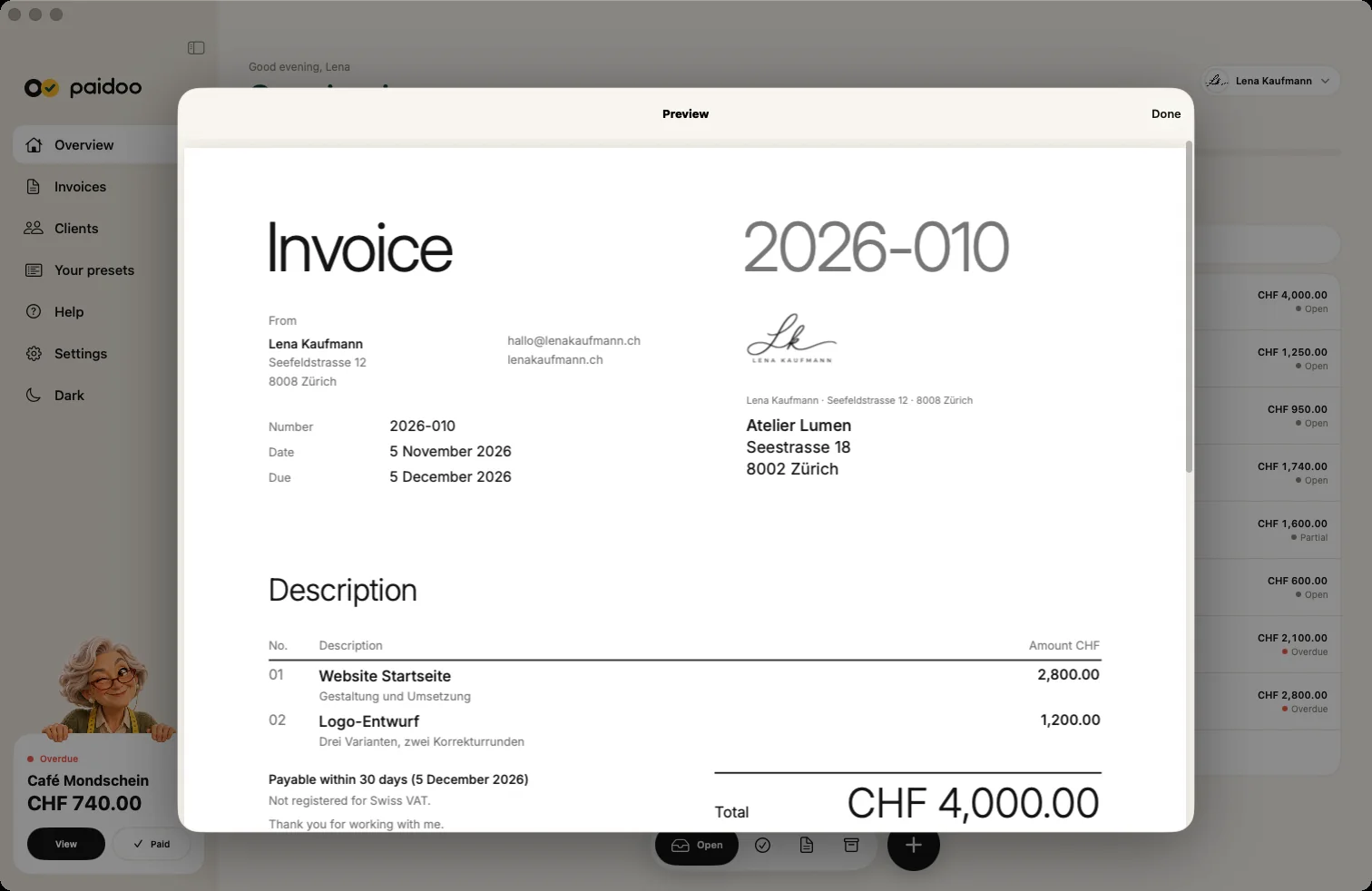
- The large preview with a magnifier: you see the invoice just as your customer receives it.
- A click next to a window closes it, while writing it stays open.
- Light or dark with one click in the sidebar.
Mac and iPhone together
With the same Apple ID and iCloud sync, you have the same invoices on your Mac as on your iPhone and iPad. You buy Paidoo Pro only once, and it works on all three devices.
Quote first, then invoice
- 01Write the quote
Open a new quote with ⇧⌘N, choose the customer and services and send it as a PDF.
- 02Turn it into an invoice
Once your customer says yes, one click turns the quote into an invoice. Everything is carried over, and Paidoo goes straight to «Check».
- 03Finish
The invoice shows the quote number. «Finish invoice» creates the PDF.
Quotes do not count towards the 5 free invoices.
Your look in the Studio
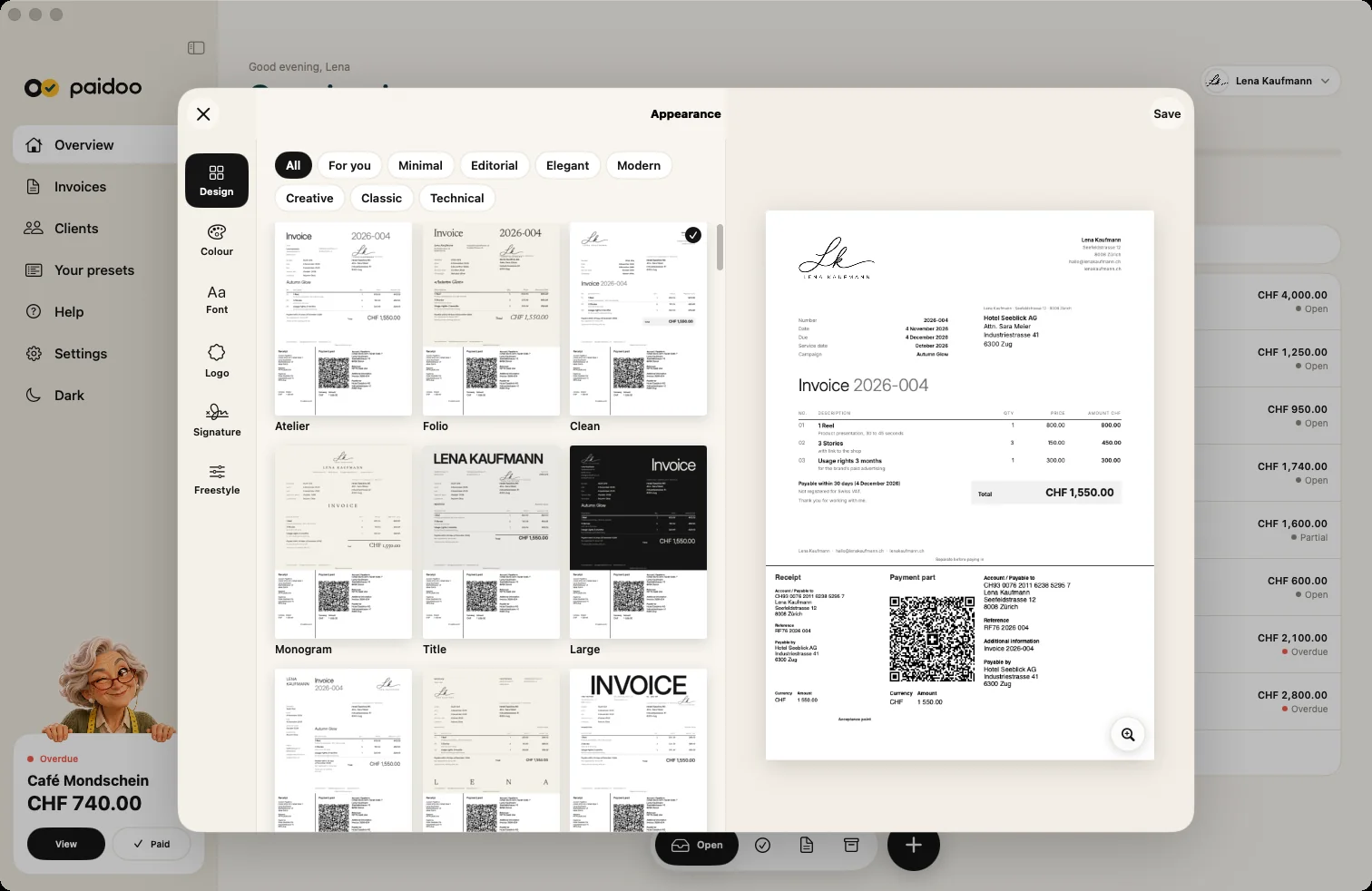
In the Studio you set how your invoices look: design, colour, font, logo and signature. You open it with the «Design» button or under «Appearance» at «Check», and you see the invoice live as you go.
17 designs and the signature are free. All 100 designs, your logo, your colour, your paper and your font come with Paidoo Pro.
Remind and chase
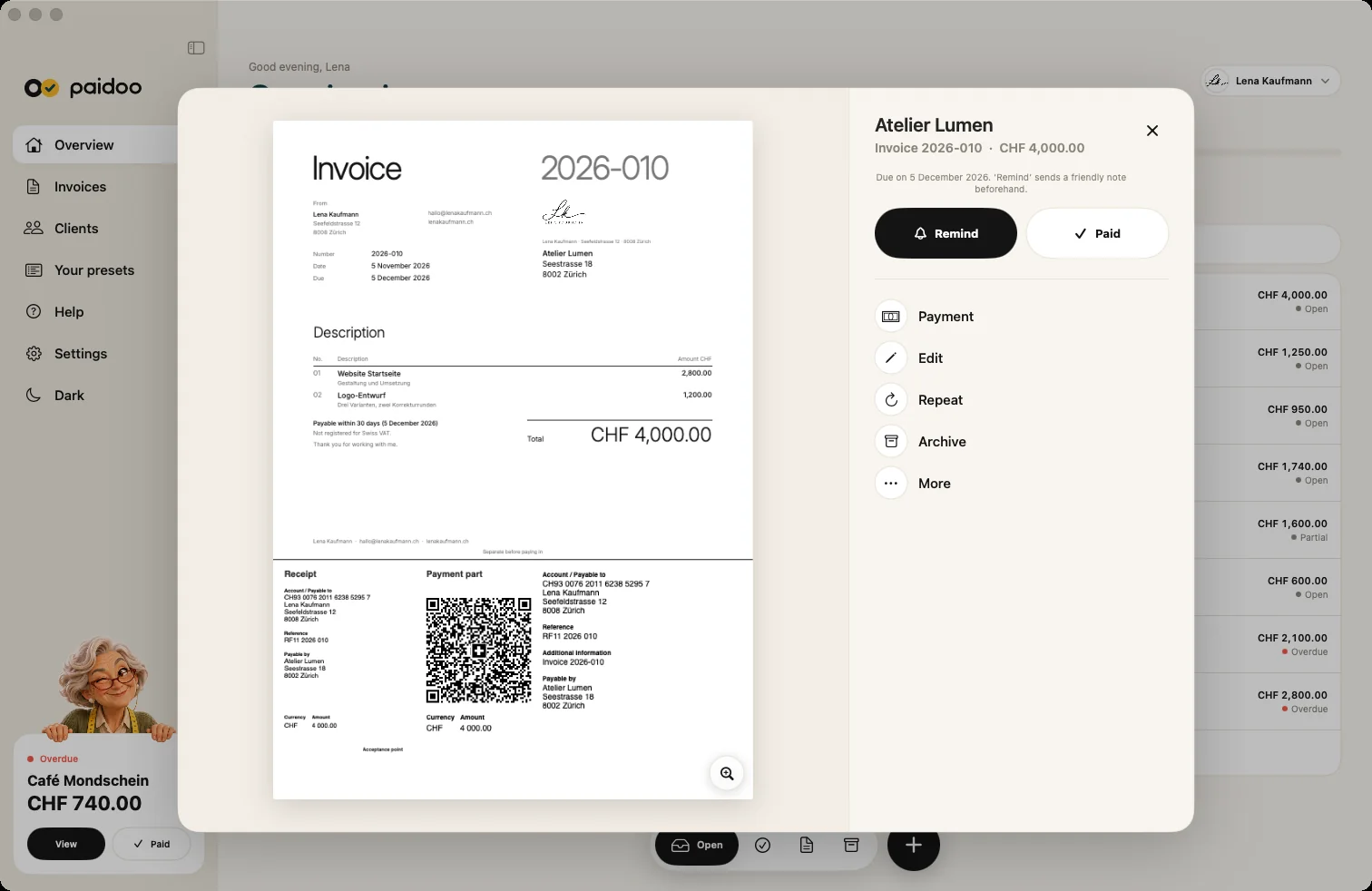
If an invoice is not paid, open it in the sidebar under «Invoices» and choose the stage: reminder, payment reminder or final notice with a reminder fee if agreed. You can adjust the title, text and deadline. This works without Pro too.
When money comes in, you record the payment, also as a part payment. The invoice then shows what is already paid and what is still open.
In Paidoo
How it works, in three steps.
- 1New invoice
Press ⌘N or click the plus.
- 2Customer and services
Fill in «Who» and «What», Paidoo makes suggestions.
- 3Check and send
«Finish invoice», then send as PDF or print.
Questions
Frequently asked questions.
Write to us. We answer personally, usually the same day.
support@paidoo.appIs there invoicing software for the Mac without a subscription?
Yes. Paidoo runs on the Mac from macOS 26. The first 5 invoices are free, after that you buy Paidoo Pro once for CHF 29. There is no subscription.
Can I create a QR-bill on my Mac?
Yes. Paidoo puts the QR payment part to the Swiss standard at the bottom of the invoice, in CHF or EUR.
Do I need an account?
No. Paidoo has no account and no sign-up. Your data is on your Mac and, with iCloud sync, in your own iCloud.
Can I print the invoice on my Mac?
Yes. You print it right from Paidoo or send it as a PDF by email.
Which keyboard shortcuts are there?
⌘N for a new invoice, ⇧⌘N for a new quote and ⌘, for the settings.
Is there Paidoo for Windows?
No. Paidoo is available for iPhone, iPad and Mac.
Can I use my logo on the Mac?
Yes, with Paidoo Pro. You add it in the Studio and adjust its size. It then applies to all invoices, on iPhone, iPad and Mac.
How do I write the same invoice again?
Open the old invoice and click «Repeat». Paidoo takes over the customer and items and goes straight to «Check». The new invoice gets a new number.
You do the work.Paidoo does the invoice.
Invoices in a minute on the iPhone, iPad and Mac. No account, no subscription, your data stays with you. The first 5 invoices are free, Pro is a one-off CHF 29.