
QR-bill
Create a QR-bill on your Mac.
Create a QR-bill with payment part on your Mac and send it as a PDF or print it. For Switzerland and Liechtenstein, in CHF or EUR, no subscription.
- 5 invoices free
- No subscription
- No account
In short
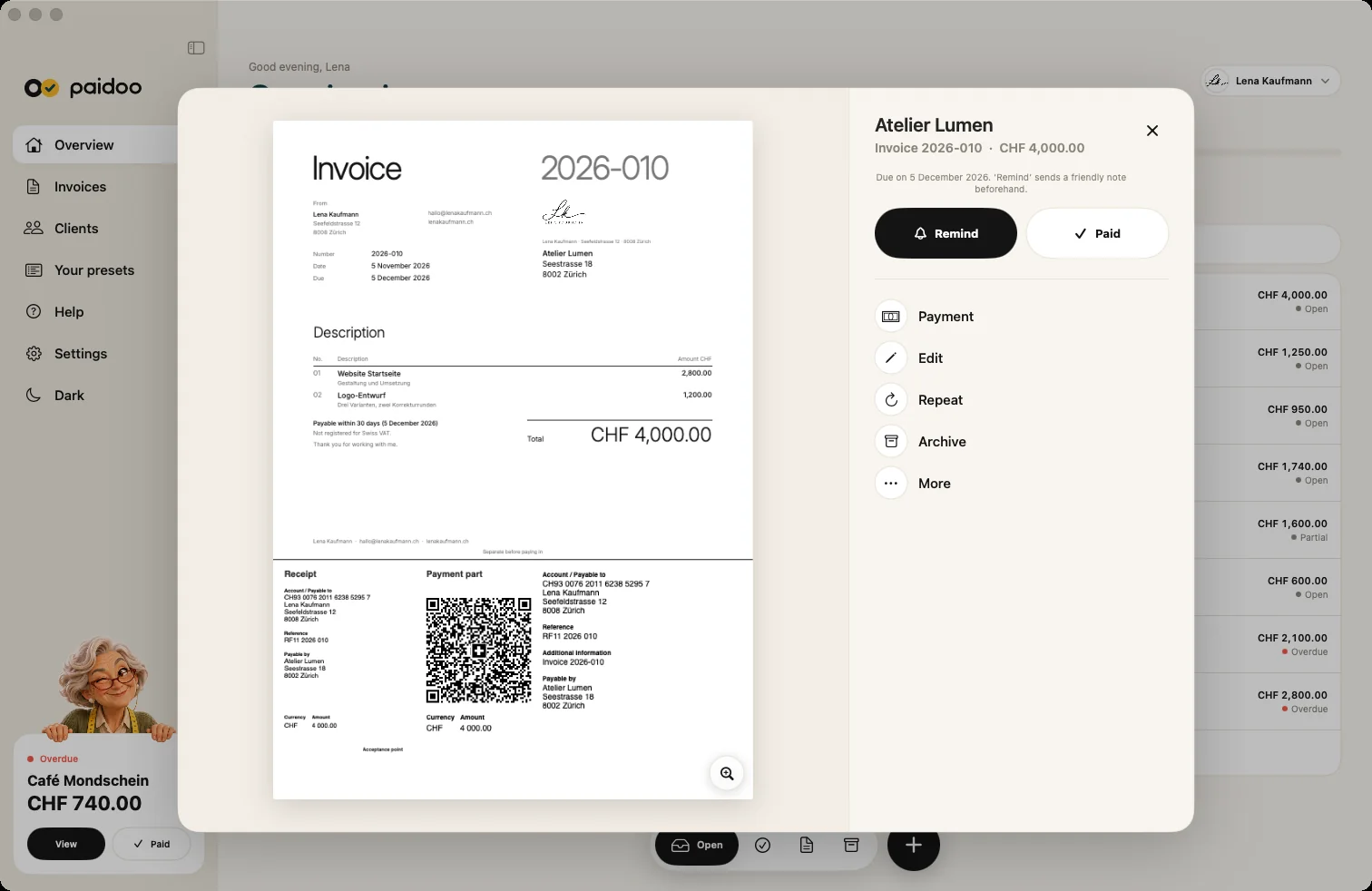
With Paidoo you create the QR-bill right on your Mac. Paidoo puts the payment part to the Swiss standard at the bottom of the invoice, with account, amount and reference. You send the invoice as a PDF or print it, and your customer scans the code with their banking app.
iNo guarantee. We explain the basics to the best of our knowledge, as of November 2026. The information applies to Switzerland unless stated otherwise. Laws, rates and thresholds change and depend on your situation. This is not legal or tax advice. If in doubt, ask your tax office or a professional.
What is in the payment part
- Account and payable to: your IBAN, your name and your address.
- Reference: a number to match the payment.
- Additional information: for example the invoice number.
- Payable by: your customer.
- Currency and amount: CHF or EUR.

Normal IBAN or QR-IBAN
Your normal IBAN is enough for the QR payment part. If your bank gave you a QR-IBAN, you can use that too.
Send or print
On the Mac you send the PDF by email or print the invoice. Your customer scans the code on screen or on paper.
Customers outside Switzerland
Banking apps outside Switzerland and Liechtenstein usually cannot read the Swiss QR Code. There, your customers pay by bank transfer to the IBAN shown on the invoice.
Step by step on the Mac
- 01Who
Open a new invoice with ⌘N and choose your customer. With name, postcode and town, Paidoo fills in «Payable by» in the payment part.
- 02What
Add your services. The total becomes the amount in the payment part.
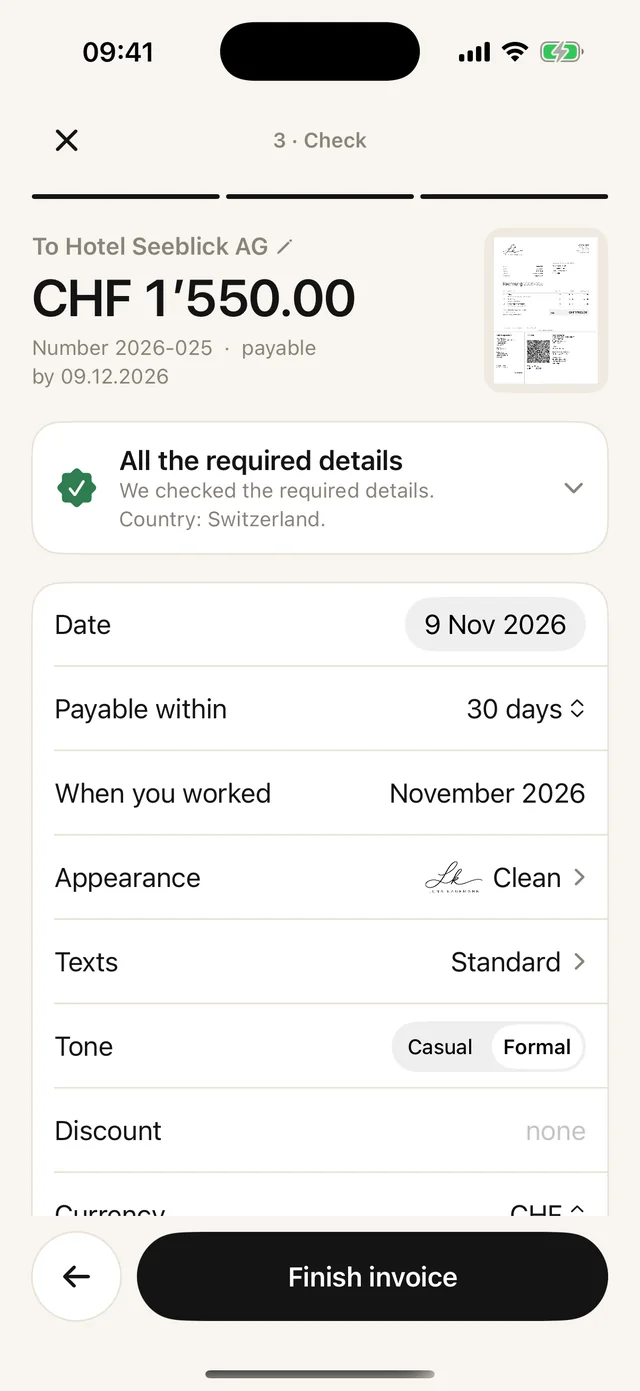
- 03Check
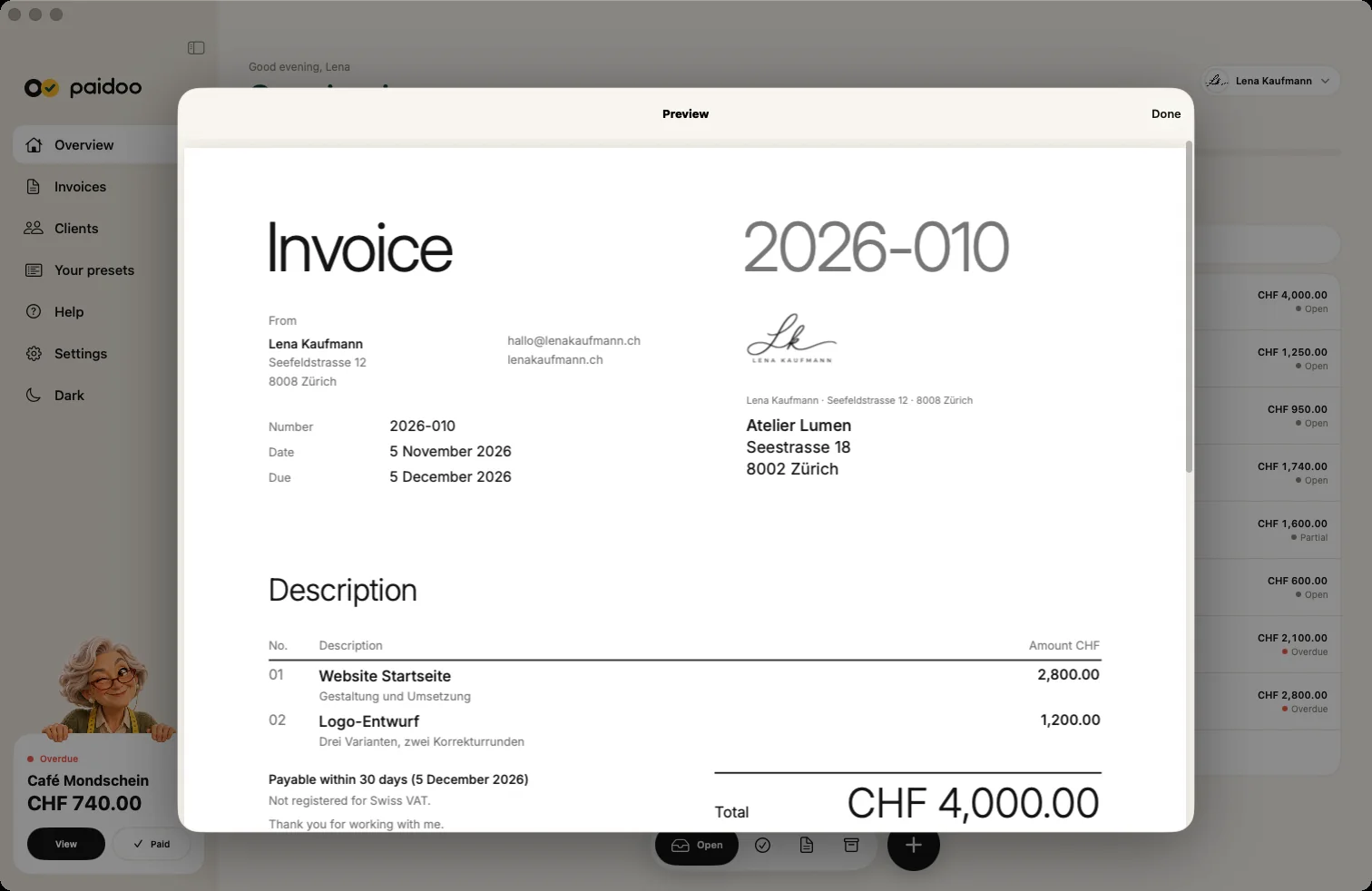
Choose CHF or EUR under «Currency». If it says «The QR payment part is ready to scan.», everything is there. In the preview you check the payment part before the invoice goes out.
- 04Done
«Finish invoice», then send the PDF or print it through the Mac print dialog.
What Paidoo fills in for you
- The reference: Paidoo builds it from the invoice number, so you can match the payment.
- Under «Additional information»: the invoice with its number.
- After a part payment: only the amount still open.
- On reminders with a reminder fee: the amount including the fee.
- The language: German, French or Italian like the invoice, otherwise English.
The payment part looks the same in every design, as the standard requires. Once an invoice is recorded as paid, Paidoo no longer prints a payment part. Quotes and credit notes never have one.
In Paidoo
How it works, in three steps.
- 1Set it up
Enter your name, address and IBAN, Paidoo checks the IBAN.
- 2Write the invoice
Start with ⌘N, choose the customer and services.
- 3Send or print
Paidoo adds the QR payment part, you send the PDF or print it.
Questions
Frequently asked questions.
Write to us. We answer personally, usually the same day.
support@paidoo.appCan I create a QR-bill on my Mac?
Yes. With Paidoo on the Mac from macOS 26, with a QR payment part to the Swiss standard.
Do I need a QR-IBAN?
No. Your normal IBAN is enough. You can also use a QR-IBAN.
Does the QR-bill also work in euros?
Yes. The payment part works in CHF or EUR.
Can I print the QR-bill?
Yes. You print it right on your Mac or send it as a PDF.
What does it cost?
The first 5 invoices are free, after that you buy Paidoo Pro once for CHF 29. There is no subscription.
And if I invoice in dollars or pounds?
Then Paidoo adds no payment part, because it only works in CHF and EUR. Your IBAN is then shown on the invoice so your customer can pay by bank transfer.
Does a QR-IBAN also work in euros?
Until the end of October 2027, yes. For invoices in euros dated 1 November 2027 or later, Paidoo no longer adds a payment part with a QR-IBAN. With your normal IBAN, the payment part in euros carries on.
You do the work.Paidoo does the invoice.
Invoices in a minute on the iPhone, iPad and Mac. No account, no subscription, your data stays with you. The first 5 invoices are free, Pro is a one-off CHF 29.