
Reminders
Write a payment reminder: three stages, friendly and clear.
Reminder, payment reminder, final notice: which stage when, what deadlines are usual and how to create each stage from the invoice in Paidoo.
- 5 invoices free
- No subscription
- No account

In short
If an invoice is overdue, you go step by step: first a friendly reminder, then the payment reminder, and last the final notice with a clear deadline. In Paidoo you create each stage with one tap from the unpaid invoice, and you decide the text and deadline yourself.
iNo guarantee. We explain the basics to the best of our knowledge, as of November 2026. The information applies to Switzerland unless stated otherwise. Laws, rates and thresholds change and depend on your situation. This is not legal or tax advice. If in doubt, ask your tax office or a professional.
The three stages
| Stage | When | Tone |
|---|---|---|
| Reminder | a few days after the due date | friendly, "maybe overlooked" |
| Payment reminder | about 10 to 14 days later | matter-of-fact, new deadline |
| Final notice | another 10 days later | firm, name the next steps |
Fees and late payment interest
If a fixed payment date was agreed, the customer is in default once that day has passed, otherwise usually only from the first reminder. In Switzerland you can then charge late payment interest of 5 per cent a year. Reminder fees are only allowed if they were agreed beforehand, for example in your terms.
Paidoo lets you set a fee for each stage. Whether you may charge it depends on what you agreed.
A friendly reminder that works
Short, without blame, with all the details: invoice number, amount, original due date and new deadline. If you attach the invoice with the QR payment part again, your customer is most likely to pay right away.
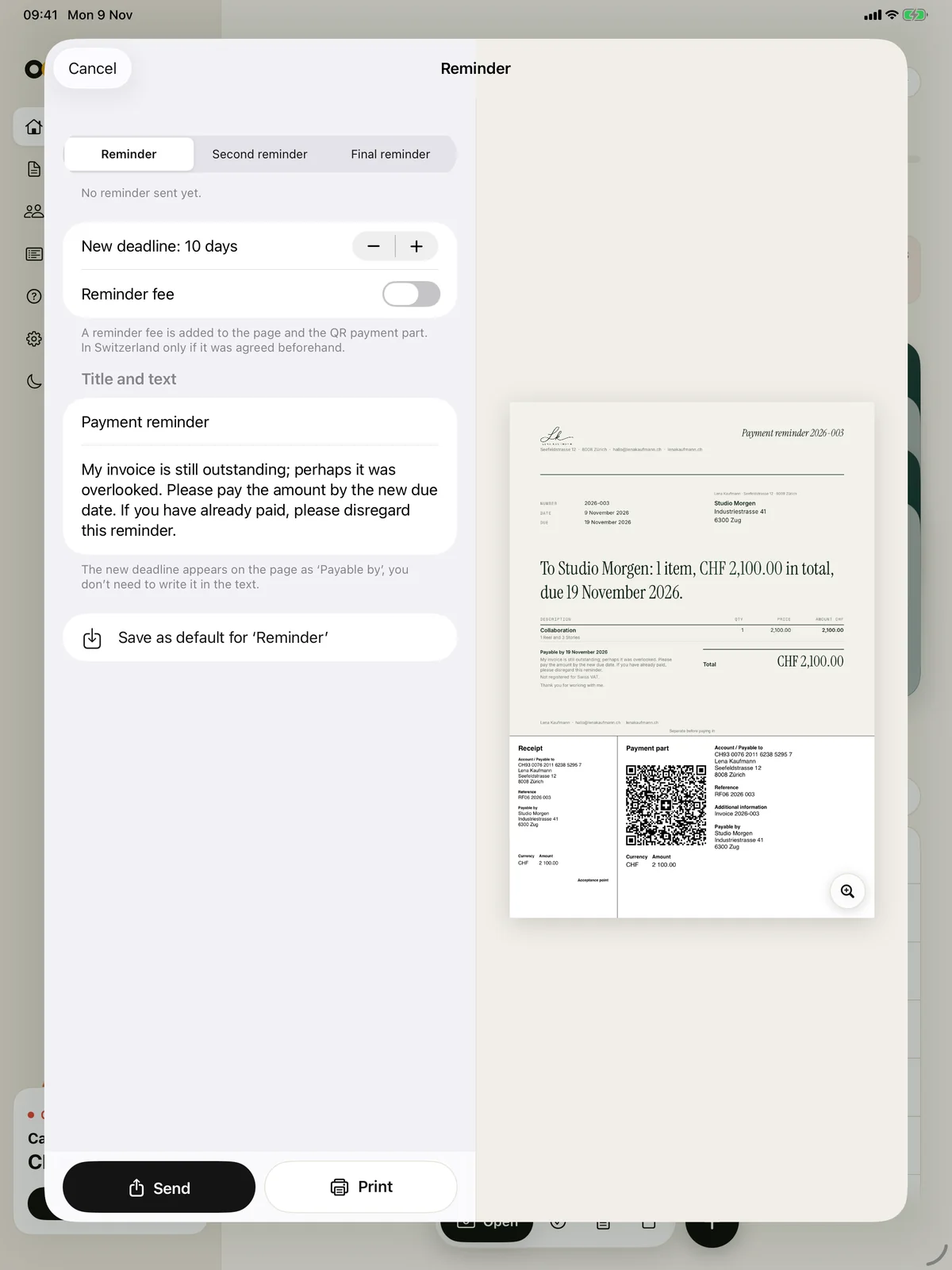

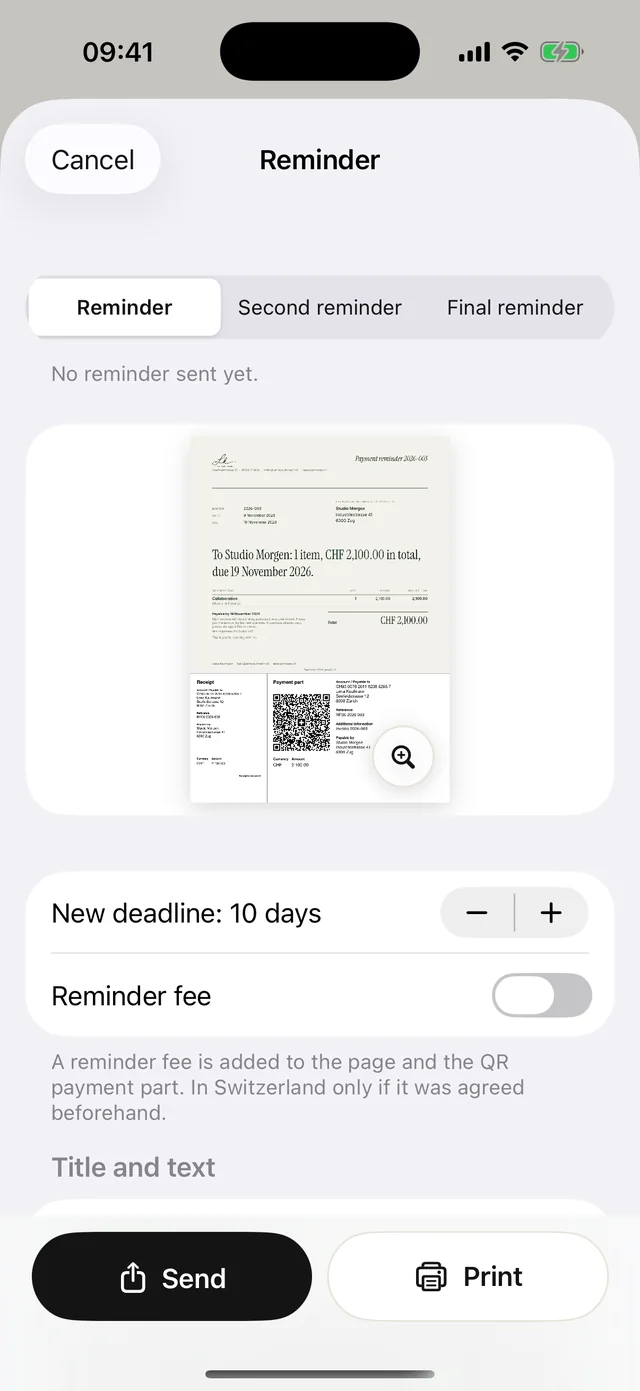
Set the deadline, fee and text
If an invoice is overdue, it shows a button with the next stage, for example "Reminder" or, after a reminder has gone out, "Second reminder".
- 01Check the stage
Paidoo suggests the stage after the last one you sent. At the top you switch between "Reminder", "Second reminder" and "Final reminder".
- 02Choose a new deadline
You choose 3 to 60 days, with 10 suggested. The date appears on the page as "Payable by", so you do not need to write it in the text.
- 03Set a fee
With "Reminder fee" you enter an amount. In Switzerland and Liechtenstein it also goes into the QR payment part. You can save a fixed amount in the settings under "Numbers, titles, reminder fee", and Paidoo then suggests it from the second reminder on.
- 04Adjust the text
Under "Title and text" you change the suggestion. If you save it as the default, it also applies to the next reminders of this stage.
- 05Send or print
Paidoo remembers when you sent which stage and shows it in the invoice.
Before the due date: a quick reminder
If the invoice has been sent but is not yet due, the invoice shows the "Remind" button. It sends the same invoice again with a short, friendly message, without a reminder stage and without a new deadline.
Example of the message for an English invoice: "Just a friendly reminder: my invoice 2026-014 for CHF 680.00 is due on 2 November 2026. You will find it attached."
Check before you send
- Has the money perhaps already arrived? Check your account first and record any payments.
- Does the new deadline give your customer enough time to pay?
- Is the tone right? Paidoo writes casually or formally, as set for the invoice, and in the language of the invoice.
- In the final reminder, only announce steps you really intend to take. Paidoo’s suggestion mentions debt collection, and you can change it.
In Paidoo
How it works, in three steps.
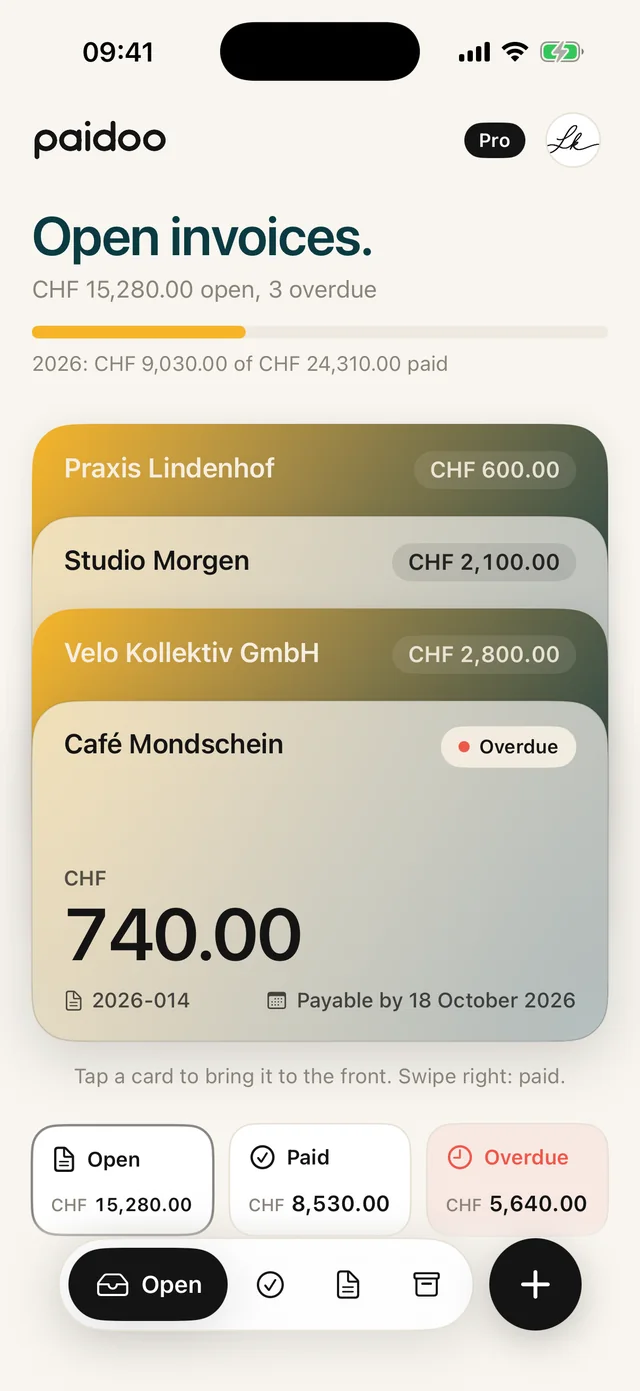
- 1Tap the unpaid invoice
Paidoo shows how long it has been overdue.
- 2Choose the stage
Reminder, payment reminder or final notice. Text, deadline and fee are prepared and can be changed.
- 3Send
As a PDF with the payment part of the original invoice.
Questions
Frequently asked questions.
Write to us. We answer personally, usually the same day.
support@paidoo.appHow do I word a friendly payment reminder?
For example: "Perhaps our invoice 2026-014 of 3 October got lost. Please transfer the amount of CHF 680.00 by 20 November." Paidoo suggests a text like this.
When do I send the first payment reminder?
Usually the reminder goes out a few days after the due date, and the first payment reminder 10 to 14 days later. There are no fixed legal deadlines for this.
Can I charge reminder fees?
Only if they were agreed. In Switzerland you can charge late payment interest of 5 per cent a year even without an agreement, as soon as your customer is in default.
Can I send payment reminders as a private person?
Yes. Reminders and payment reminders work exactly the same for private people as for companies.
Does the reminder ask for the full amount after a part payment?
No. If you record the part payment in Paidoo, the next reminder only asks for the remaining balance. If the invoice has a QR payment part, the same applies there.
What do I do if nothing comes after the final reminder?
Paidoo takes you as far as the final reminder. What is possible after that depends on the country and the individual case. Ask a professional.
You do the work.Paidoo does the invoice.
Invoices in a minute on the iPhone, iPad and Mac. No account, no subscription, your data stays with you. The first 5 invoices are free, Pro is a one-off CHF 29.