
Trades
Invoices for tradespeople: right after the job.
Labour, materials and travel: how tradespeople write the invoice on site on the iPhone. From the quote in one tap, with a discount and a QR payment part.
- 5 invoices free
- No subscription
- No account

In short
As a tradesperson, it is best to write the invoice as soon as the work is done. With Paidoo you can do that on your iPhone while still at the customer’s: tap hours, materials and travel, check, send. If there was a quote, one tap turns it into the invoice.
iNo guarantee. We explain the basics to the best of our knowledge, as of November 2026. The information applies to Switzerland unless stated otherwise. Laws, rates and thresholds change and depend on your situation. This is not legal or tax advice. If in doubt, ask your tax office or a professional.
What goes on a tradesperson’s invoice
- Your business, address and, if you are registered, your VAT number
- Your customer’s name and address, and the job site if needed
- Date or period of the work
- Labour with hours and hourly rate
- Materials itemised with quantity and price
- Travel as a separate item
- Discount, VAT, total and payment deadline
On site: quote, invoice, delivery note
Many jobs start with a quote. In Paidoo you write it on site, and once it is accepted you turn it into the invoice with one tap. Everything is carried over, you only check hours and materials.
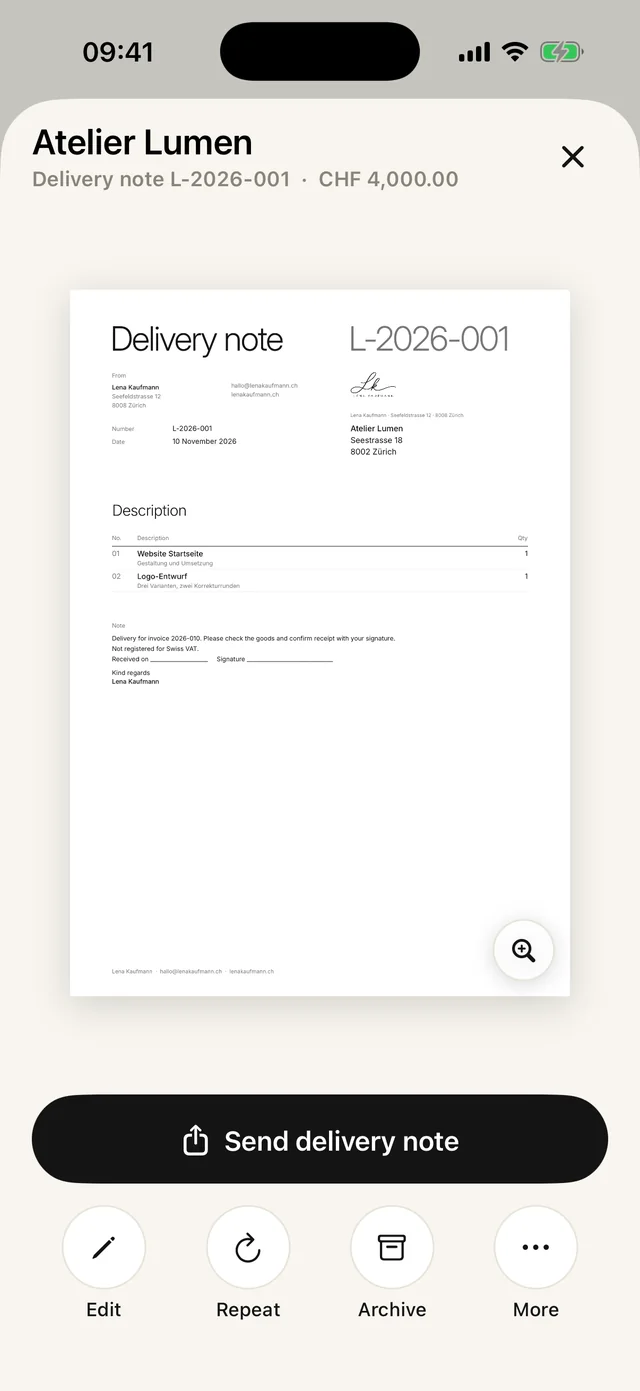
If you deliver goods or materials, Paidoo Pro lets you hand over a delivery note at the same time. It shows quantities but no prices.
Discount, rounding and VAT
You give a discount as a percentage or a fixed amount. For cash payments, Paidoo can round the total to 5 centimes.
Labour and materials are usually taxed at the standard rate of 8.1 per cent. If you use the net tax rate method, the invoice still shows the normal rate. In Germany, private customers can deduct part of the labour costs from their tax. For this, labour and materials should be listed separately on the invoice, and the customer must pay by bank transfer, not in cash.
Example: bathroom repair
| Item | Amount |
|---|---|
| Labour, 3 hrs at CHF 95.00 | CHF 285.00 |
| Materials: mixer tap | CHF 180.00 |
| Small materials: seals, silicone | CHF 18.50 |
| Travel | CHF 40.00 |
| Total | CHF 523.50 |
Step by step in Paidoo
- 01Who
Choose the customer, type a new one or bring them in with "Import from Contacts".
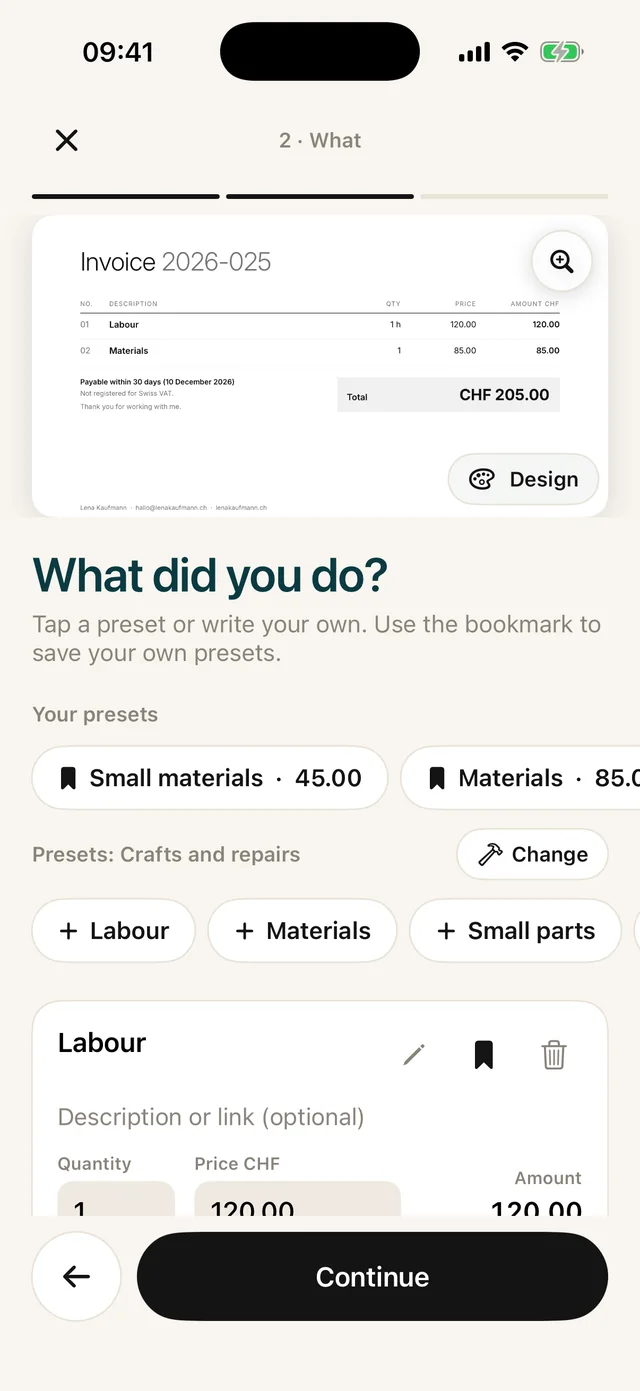
- 02What
Tap presets such as "Labour", "Materials", "Small materials" and "Travel", then adjust quantity and price. Use the bookmark to save your own presets.
- 03Check
Under "When you worked", enter the date or month of the work, and a discount if needed. Paidoo shows you whether the usual required details are on it.
- 04Done
Send it as a PDF, show it or print it. If you still spot a mistake, tap "Spotted a mistake? Keep editing".
Common mistakes
- Writing the invoice weeks later. By then, hours or materials are often missing.
- Materials as one lump sum with no quantity. Your customer cannot follow it.
- Forgetting small materials and travel. As presets, they are on the invoice with one tap.
- Sending the invoice to the wrong person, for example the tenant instead of the property manager. Agree beforehand who pays.
In Paidoo
How it works, in three steps.
- 1Choose your trade
During setup, choose what you do. Paidoo suggests matching items, for example working hours or travel. You add your own items to the catalogue once.
- 2Write it on site
Choose the customer or carry over the quote with one tap, then adjust hours and materials.
- 3Send or show
Send it as a PDF with a QR payment part. If your customer pays right away, you swipe the invoice to paid.
Questions
Frequently asked questions.
Write to us. We answer personally, usually the same day.
support@paidoo.appHow do I write an invoice as a tradesperson?
With your details, your customer’s details, date, number and the items: labour, materials, travel. Below that, discount, VAT and total, plus payment deadline and QR payment part.
Do I have to list labour and materials separately?
In Switzerland it is not required, but it is common and clearer for your customer. In Germany, private customers need the labour costs shown separately and a payment by bank transfer if they want to deduct them from their tax.
Can I turn the quote into the invoice?
Yes. In Paidoo you swipe the quote or tap the button to turn it into an invoice. Everything is carried over, and the invoice opens at the check step.
Can I hand over a delivery note on site?
Yes, with Paidoo Pro. The delivery note is created from the invoice and shows quantities only. Paidoo Pro costs CHF 29 once (29.99 EUR in the EU), with no subscription.
How do I give a discount?
In Paidoo you enter it as a percentage or a fixed amount, right in the invoice. If needed, add what it is for, for example a regular customer.
Can I save my own prices?
Yes. When you enter an item, tap the bookmark. It then appears under "Your presets", with its price. Paidoo also remembers the items from finished invoices by itself.
Can I repeat an invoice for a regular customer?
Yes. Open the old invoice and tap "Repeat". Customer and items are carried over, the invoice gets a new number and opens at the check step. You only change what is different this time.
You do the work.Paidoo does the invoice.
Invoices in a minute on the iPhone, iPad and Mac. No account, no subscription, your data stays with you. The first 5 invoices are free, Pro is a one-off CHF 29.