
iPhone, iPad and Mac
Write an invoice on your iPhone: from customer to PDF.
Invoices, quotes and payment reminders on iPhone, iPad and Mac. 100 designs, QR-bill, VAT for Switzerland and the EU. No subscription, no account.
- 5 invoices free
- No subscription
- No account

In short
With Paidoo you write invoices right on your iPhone, iPad or Mac. Set up once, then choose a customer, tap the items and send it as a PDF. With 100 designs, your logo, the QR payment part and the VAT rates for Switzerland and the EU.
iNo guarantee. We explain the basics to the best of our knowledge, as of November 2026. The information applies to Switzerland unless stated otherwise. Laws, rates and thresholds change and depend on your situation. This is not legal or tax advice. If in doubt, ask your tax office or a professional.
What Paidoo can do
- Invoices, quotes, credit notes, reminders and payment reminders
- Delivery notes and receipts with Pro
- QR payment part for Switzerland and Liechtenstein
- VAT for 25 countries (MWST, USt. and VAT), reverse charge for EU companies
- 10 currencies, invoices and app in 22 languages
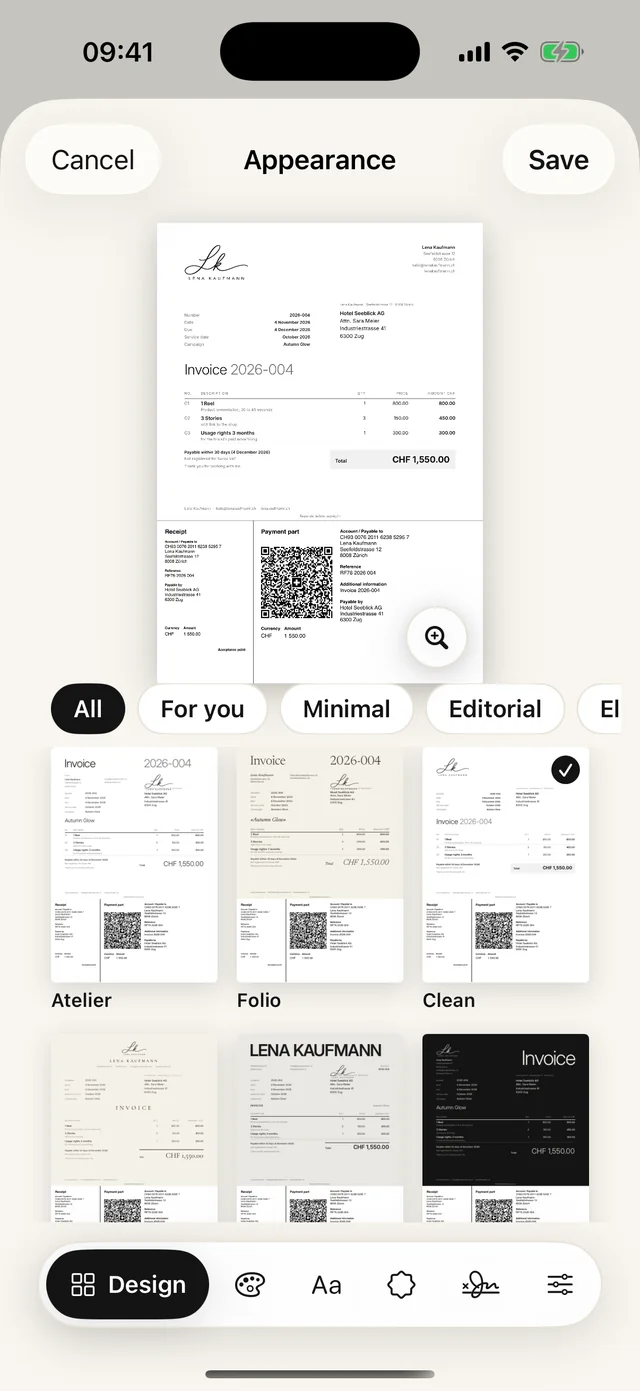
- 100 designs, your own logo, your own colour, signature
- Several businesses in one app, each with its own look
- iPhone, iPad and Mac, synced through your own iCloud (on by default, can be switched off)
What Paidoo is not
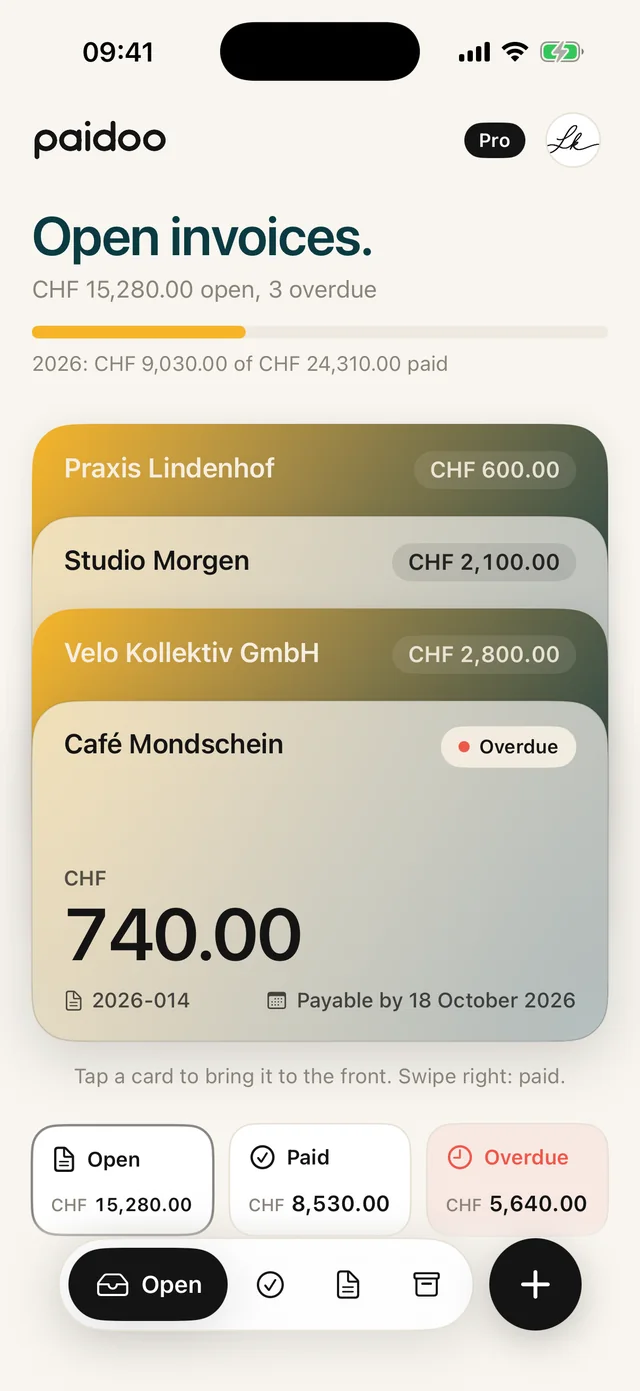
Paidoo is not accounting software. The app writes invoices and keeps track of unpaid amounts. For your tax return or your accountant, you create the «Accounting package», one PDF with all documents of a period.
The steps in the editor
- 011 · Who
Pick a customer from your favourites or recent ones, import one from Contacts or type a new one.
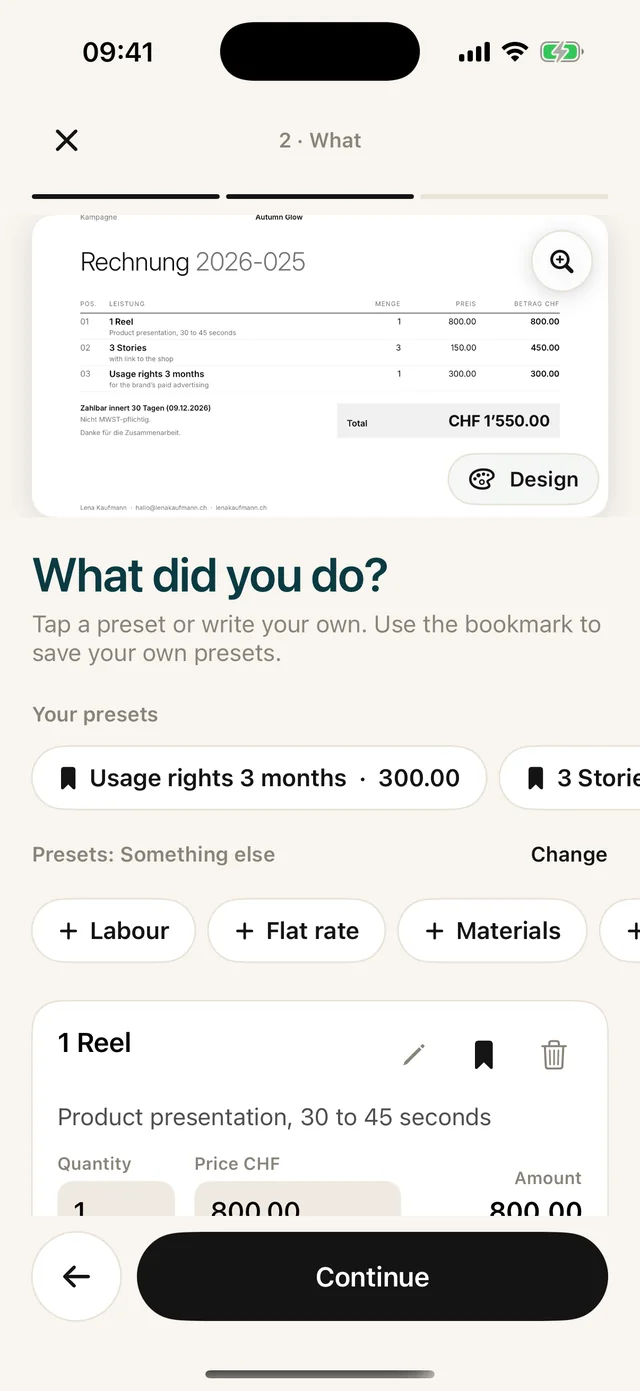
- 022 · What
Tap presets for your line of work or write a custom item, with quantity and price. Use the bookmark to save your own presets.
- 033 · Check
Check the date, payment term, language and tone. Paidoo checks the required details for your country and tells you if something is missing. The check is a help, not a guarantee.
- 04Done
The invoice has its number. You send it by email, message or WhatsApp, or print it.
The look is not a separate step: with the "Design" button on the preview, or under "Appearance" in the "3 · Check" step, you can choose a different design at any time.
Everyday tips
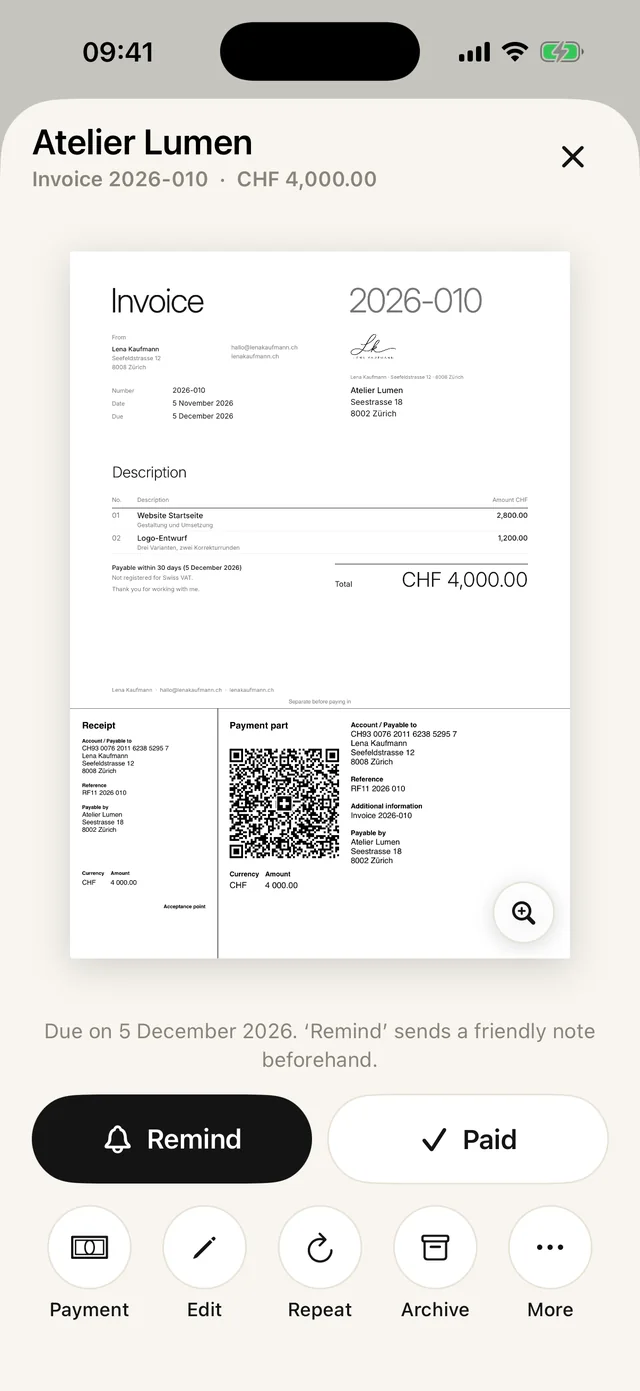
- Same work as last month? With "Repeat" you make a copy with a new date and a new number.
- Need to stop halfway? Paidoo saves the invoice as you type and asks the next time you open the app whether you want to continue.
- Spotted a mistake? Right after finishing, you can still edit the invoice.
- If you like, Paidoo reminds you of unpaid invoices on the due date.
In Paidoo
How it works, in three steps.
- 1Set up
Country, name, address, IBAN. Paidoo asks what you do.
- 2Choose a design
One of 100 designs, plus your logo and colour.
- 3Write and send
Customer, items, done. Share it as a PDF or print it.
Questions
Frequently asked questions.
Write to us. We answer personally, usually the same day.
support@paidoo.appHow do I write an invoice on my iPhone?
With an app like Paidoo: enter your details once, then for each invoice just choose the customer and the items. Paidoo creates the PDF with all the details and the QR payment part.
Does Paidoo also work on the iPad?
Yes. Paidoo runs on iPhone and iPad from iOS 26 and on Mac from macOS 26. With iCloud sync, the data is the same on all your devices.
Can I use my own logo and colour?
Yes, with Paidoo Pro. You take the logo from your photos, and Paidoo removes the background if you like.
Which countries are the tax rates correct for?
For Switzerland, Liechtenstein and the 23 EU countries where Paidoo is available. Paidoo uses the rates and names of the country where you write your invoices.
Can I still change a finished invoice?
Yes, at any time and without Pro too. If it has already been sent, Paidoo suggests cancelling it and writing a corrected one. You can also fix small typos directly.
Do I need an account?
No. Paidoo needs no account and has no server of its own. Your invoices stay on your device and, with iCloud sync, also in your own iCloud.
You do the work.Paidoo does the invoice.
Invoices in a minute on the iPhone, iPad and Mac. No account, no subscription, your data stays with you. The first 5 invoices are free, Pro is a one-off CHF 29.