
Delivery note
Create a delivery note, right there with your customer.
Create delivery notes right on your iPhone or iPad, with your logo and as a PDF. For trades and small shops, with no subscription and no account.
- 5 invoices free
- No subscription
- No account

In short
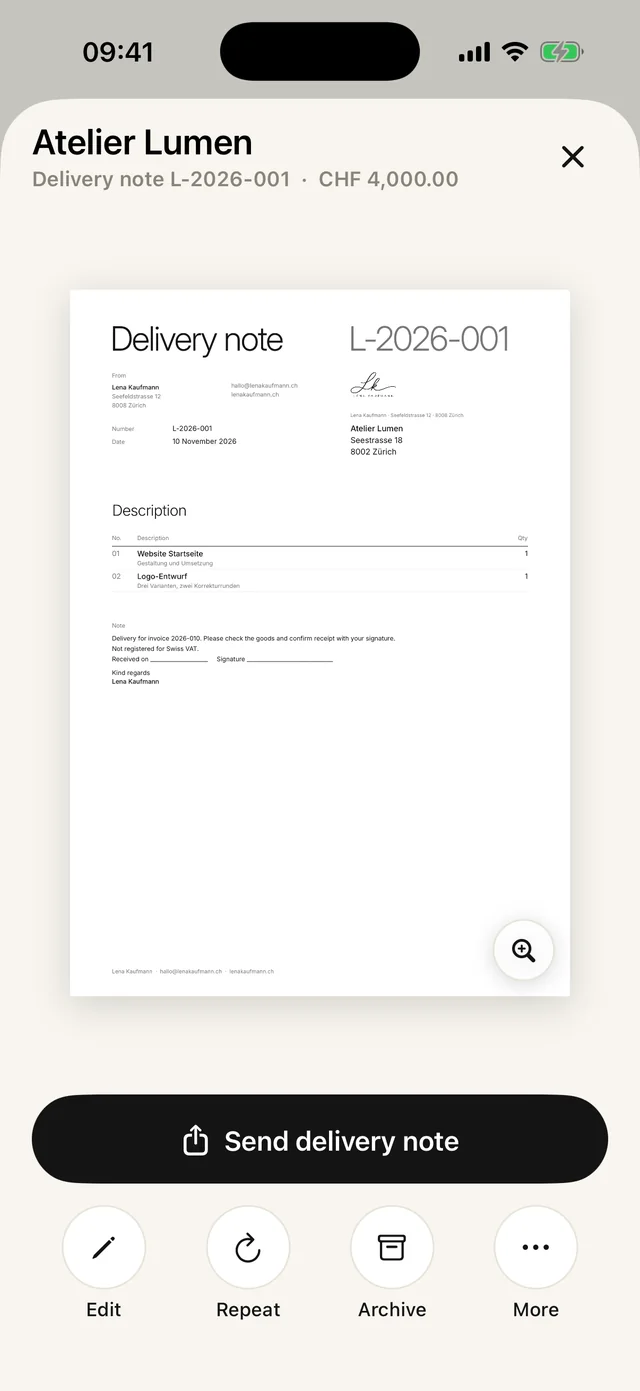
A delivery note shows what was delivered, with quantities and without prices. With Paidoo Pro you create it on your iPhone, iPad or Mac with one tap from the invoice, with your logo and its own number, and hand it over straight away as a PDF.
iNo guarantee. We explain the basics to the best of our knowledge, as of November 2026. The information applies to Switzerland unless stated otherwise. Laws, rates and thresholds change and depend on your situation. This is not legal or tax advice. If in doubt, ask your tax office or a professional.
What goes on a delivery note
- Your details and your customer’s details
- Delivery note number and delivery date
- What was delivered, with quantity
- No prices and no totals
- If you like, space for your customer to confirm
Delivery note or invoice?
The delivery note confirms the handover, the invoice asks for the money. Many people write the delivery note on the spot and send the invoice later, once everything has been added up.
Two ways in Paidoo
- 01From an invoice or quote
In the invoice or quote, tap "More" and then "Create delivery note". Paidoo copies the customer and items and opens "3 · Check" straight away.
- 02Or from scratch
Tap the plus and choose "Delivery note". Paidoo asks "Who is the delivery for?", then you add items and quantities.
- 03Finish
With "Finish delivery note" it gets a number starting with L-, for example L-2026-007.
- 04Hand it over
Send it as a PDF with "Send delivery note", or print it.
What the delivery note says
Example on an English delivery note: "Delivery for invoice 2026-031. Please check the goods and confirm receipt with your signature." Without an invoice, the reference is left out. Then come the items and quantities and a line for "Received on" and "Signature".
You can adjust both texts in the "3 · Check" step under "Texts", for example for a partial delivery.
Check before you hand it over
- Do the quantities match what you are actually delivering?
- If you only deliver part, say so in the item description.
- If your customer should sign on the spot, print the delivery note.
- You send the invoice separately. The delivery note has no prices and no QR payment part.
Goods received, with signature
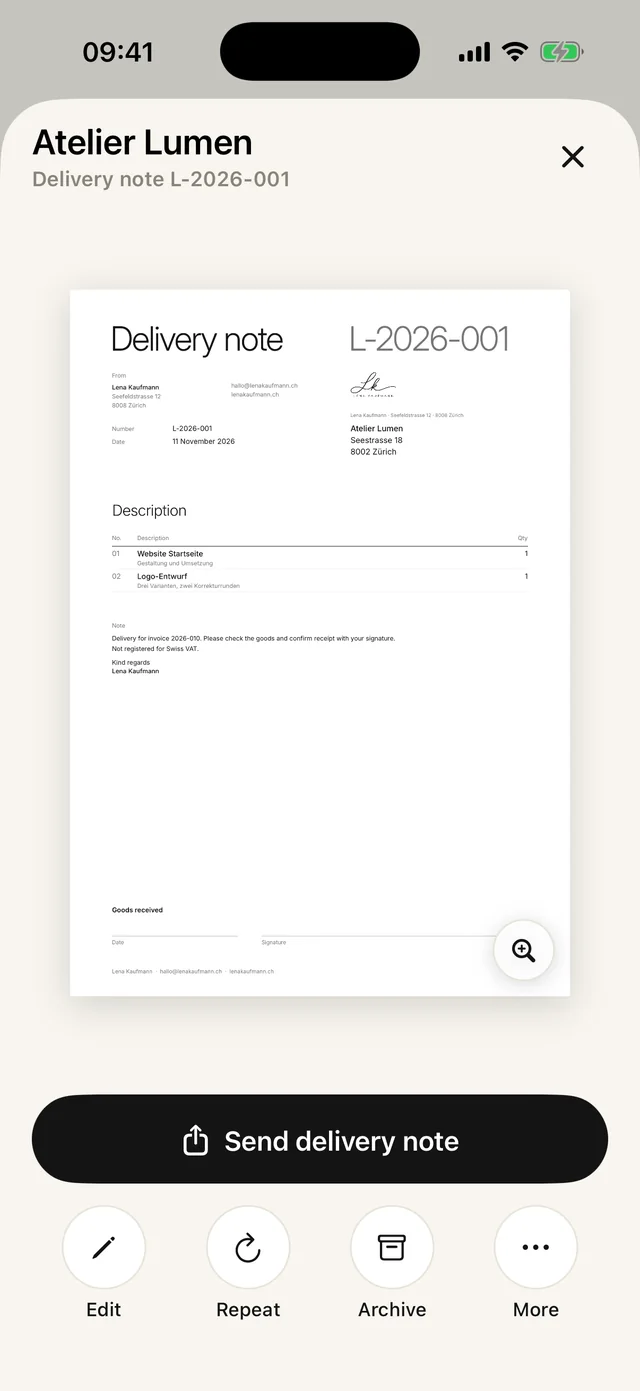
At the bottom of the delivery note there is a field «Goods received» with «Date» and «Signature». That way your customer confirms that the goods have arrived.
The field is there by default. If you do not need it, switch it off in the «Check» step under «Client signature».
In Paidoo
How it works, in three steps.
- 1Write the invoice
Add the customer and the delivered items as usual.
- 2Add a delivery note
In the invoice, choose "Delivery note". Paidoo copies the items and quantities, without prices.
- 3Hand it over
Send it as a PDF, show it or print it. You send the invoice with the QR payment part whenever it suits you.
Questions
Frequently asked questions.
Write to us. We answer personally, usually the same day.
support@paidoo.appDoes a delivery note have to include prices?
No. A delivery note shows the goods and the quantity. That is why Paidoo always leaves out prices and totals.
Can I send the delivery note as a PDF on the spot?
Yes, right from the app by email or message, on the iPad too.
Is the delivery note included in the free version?
No, delivery notes are part of Paidoo Pro. Paidoo Pro costs CHF 29 once (29.99 EUR in the EU), with no subscription.
Do delivery notes count towards the 5 free invoices?
No. Delivery notes do not count. But you need Paidoo Pro for them.
How does my customer confirm receipt?
The delivery note has a line for the date and a signature. Print it and have it signed, or send it as a PDF and ask for a short confirmation by message.
Can my customer confirm receipt?
Yes. The bottom of the delivery note shows «Goods received» with «Date» and «Signature». It is there by default; you can switch it off in the «Check» step.
You do the work.Paidoo does the invoice.
Invoices in a minute on the iPhone, iPad and Mac. No account, no subscription, your data stays with you. The first 5 invoices are free, Pro is a one-off CHF 29.