
QR-bill
Create a QR-bill, right on your iPhone.
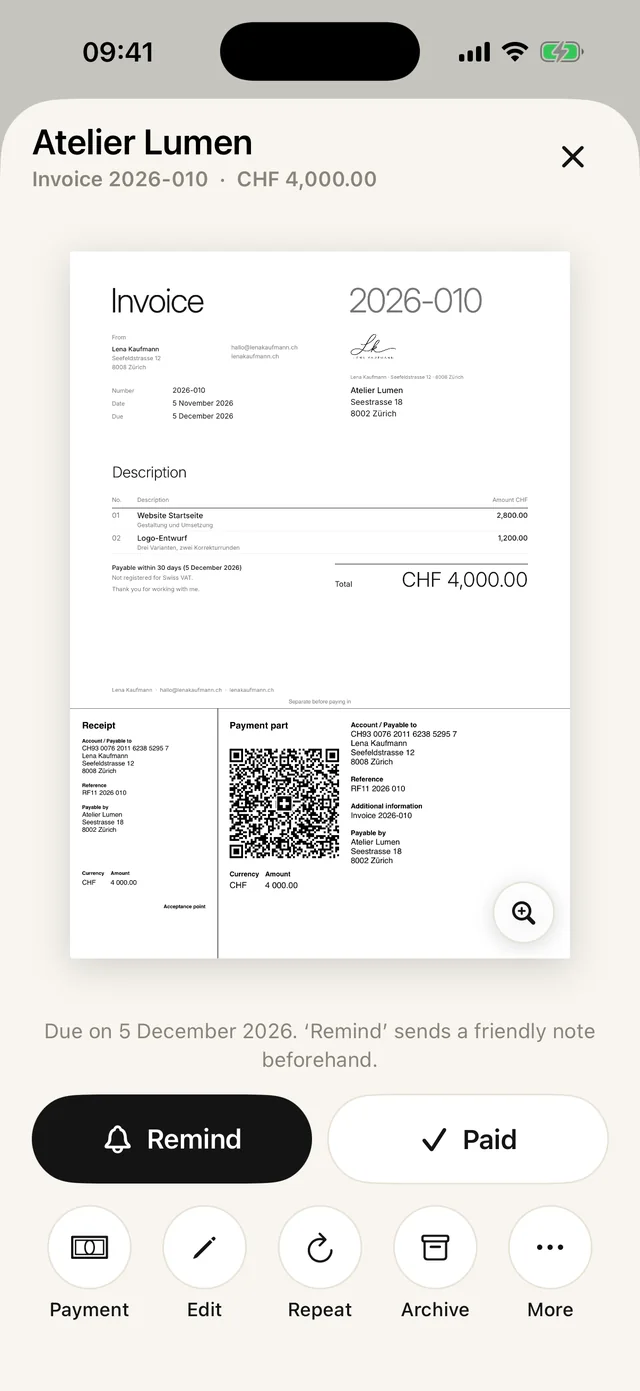
Create a QR-bill with payment part right on your iPhone and send it as a PDF. For Switzerland and Liechtenstein, in CHF or EUR. The first 5 are free.
- 5 invoices free
- No subscription
- No account

In short
A QR-bill is an invoice with a payment part and a Swiss QR Code at the bottom of the page. Your customer scans the code with their banking app, and the amount, IBAN and reference are already filled in. Paidoo adds the payment part below every invoice automatically, in francs or euros.
iNo guarantee. We explain the basics to the best of our knowledge, as of November 2026. The information applies to Switzerland unless stated otherwise. Laws, rates and thresholds change and depend on your situation. This is not legal or tax advice. If in doubt, ask your tax office or a professional.
What you need for a QR-bill
- An IBAN from a bank in Switzerland or Liechtenstein. Your normal IBAN is enough.
- Your name and address as the person receiving the payment.
- The amount in CHF or EUR. It also works without an amount, then your customer types it in.
- Optionally a reference, so you can match the payment.
IBAN or QR-IBAN?
With your normal IBAN, the QR-bill works without a reference or with an international reference. Paidoo creates this reference from the invoice number.
You get a QR-IBAN from your bank, usually for companies with lots of payments. It comes with a QR reference that lets the bank match payments automatically. Paidoo recognises a QR-IBAN and then sets the matching QR reference.
How to check the QR code
Open the invoice on a second device or print it out, and scan the code with your own banking app. Name, IBAN, amount and reference must be correct. Paidoo already checks the IBAN as you type and points out typos.
Step by step in Paidoo
- 01Who
Choose your customer or type a new one, ideally with their address.
- 02What
Tap your items. Paidoo works out the amount in the payment part itself.
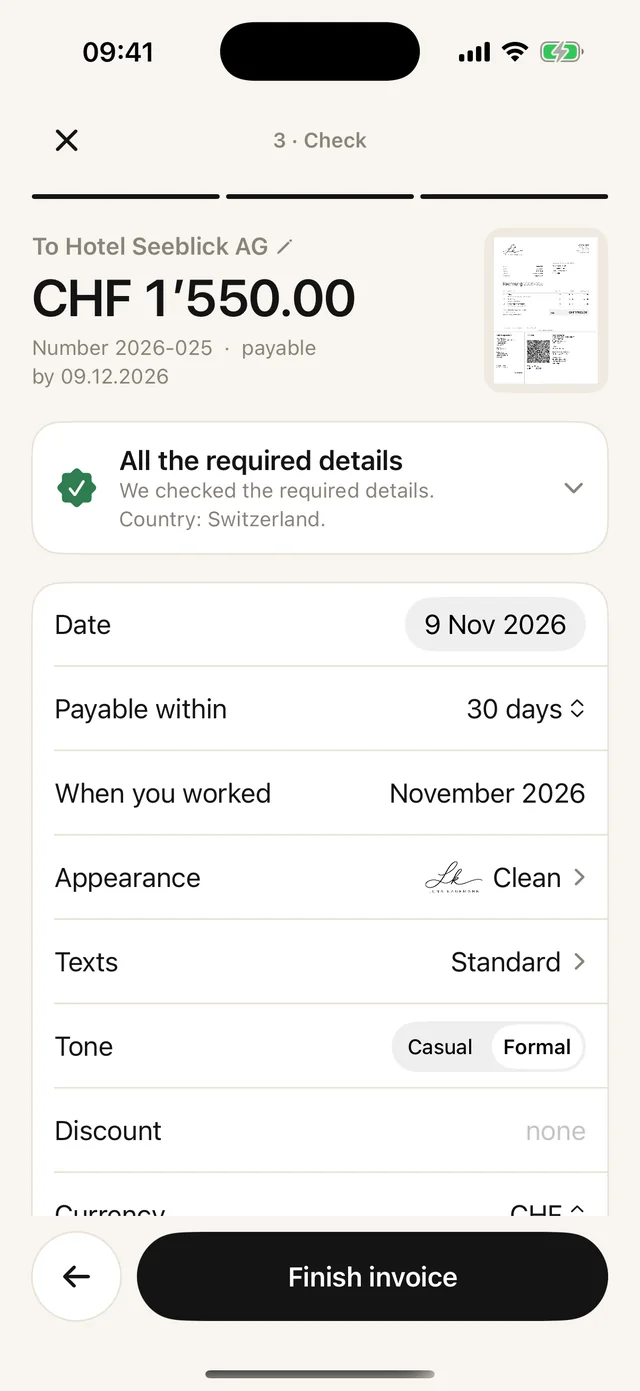
- 03Check
Here you see whether the QR payment part is included. If something is missing, it says «Without QR payment part» and gives the reason.
- 04Done
Tap «Finish invoice» to create the PDF with the payment part. You send it by email, WhatsApp or AirDrop, or print it.
When the payment part is missing
Paidoo only adds the QR payment part when everything for a valid code is there. These are the most common reasons it is missing:
- Your address is missing your name, postcode or town. You add it in the settings under «About you».
- The IBAN has a typo or belongs to a bank outside Switzerland and Liechtenstein.
- The invoice is in a currency other than CHF or EUR.
- The «QR payment part» switch in the «Check» step is turned off.
In the «Check» step, «Add now» takes you straight to the missing detail.
In Paidoo
How it works, in three steps.
- 1Enter your IBAN
Once, in the settings. Paidoo recognises the bank and country and warns you about typos.
- 2Write the invoice
Choose the customer and items. The QR payment part is created automatically with amount and reference.
- 3Send as a PDF
By email, by message or on paper. Your customer scans and pays.
Questions
Frequently asked questions.
Write to us. We answer personally, usually the same day.
support@paidoo.appHow do I create a QR-bill myself?
With an invoice app like Paidoo: enter your IBAN once, write the invoice, done. The payment part with the Swiss QR Code is added below the invoice automatically.
Do I need a QR-IBAN?
No. Your normal IBAN is enough for a valid QR-bill. You only need a QR-IBAN if you want to work with QR references.
Does the QR-bill also work in Liechtenstein?
Yes. The QR-bill is used in Switzerland and Liechtenstein, with an IBAN from a bank in either country.
Which currencies can a QR-bill use?
Only Swiss francs or euros. For invoices in other currencies, Paidoo leaves out the payment part and puts the bank details on the invoice.
Can I create a QR-bill for free?
Yes. Your first five invoices in Paidoo are free, with the QR payment part and no watermark.
Can customers in Germany scan the QR code?
Usually not. Banking apps outside Switzerland and Liechtenstein generally do not read the Swiss QR Code. Customers there pay by bank transfer to your IBAN, which is on the invoice.
Can I create the QR-bill on a Mac too?
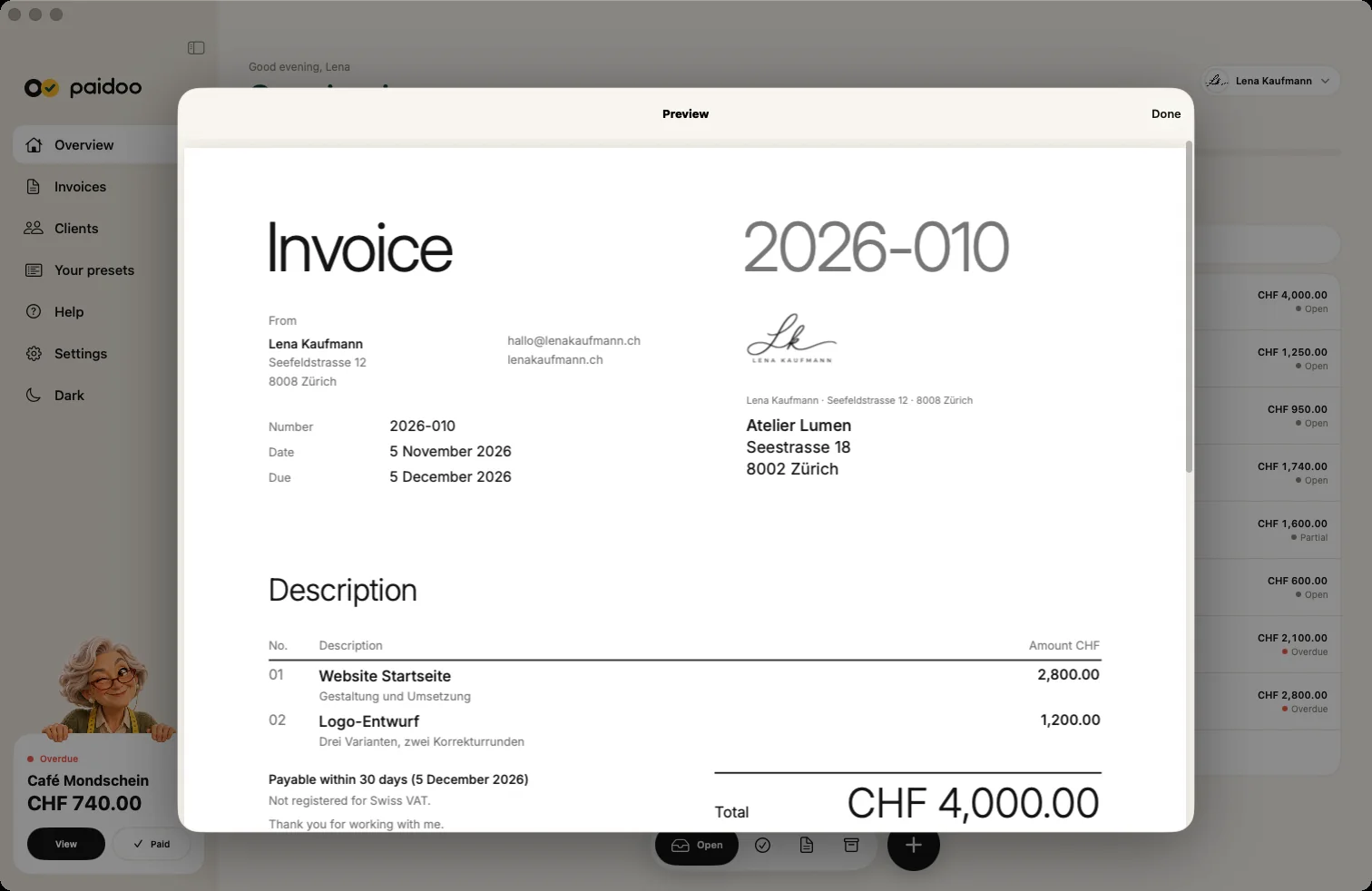
Yes. Paidoo also runs on the Mac, from macOS 26. Press ⌘N to open a new invoice, and the payment part is added just as on the iPhone.
You do the work.Paidoo does the invoice.
Invoices in a minute on the iPhone, iPad and Mac. No account, no subscription, your data stays with you. The first 5 invoices are free, Pro is a one-off CHF 29.