
Accountant
Documents for your accountant: in one package.
Hand over invoices, credit notes and open amounts to your accountant in one go: with the accounting package in Paidoo, for a year, quarter or month.
- 5 invoices free
- No subscription
- No account

In short
At the end of the year or quarter, your accountant wants to see your invoices. With Paidoo you hand them over in one package: a PDF with an overview at the front and all documents behind it, plus a list for Excel if you like. Your accountant will tell you what else they need.
iNo guarantee. We explain the basics to the best of our knowledge, as of November 2026. The information applies to Switzerland unless stated otherwise. Laws, rates and thresholds change and depend on your situation. This is not legal or tax advice. If in doubt, ask your tax office or a professional.
How to create the package
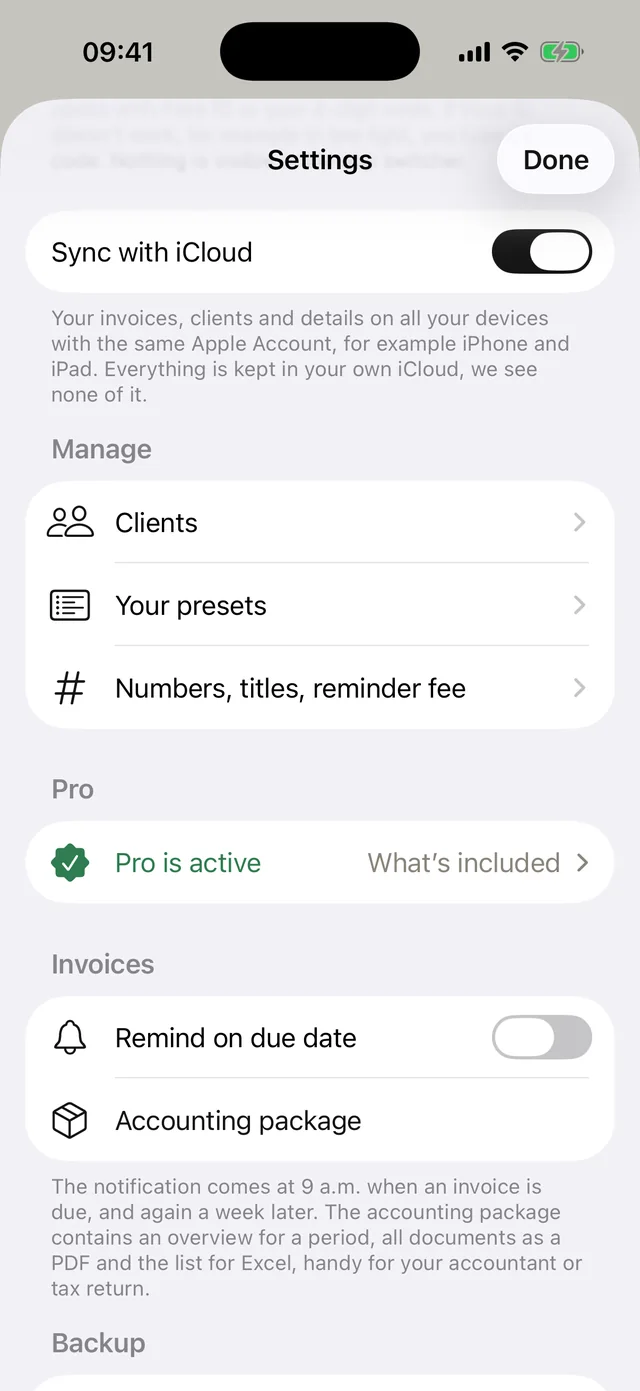
- 01Open Settings
On iPhone via your profile icon at the top right, on Mac and iPad in the sidebar on the left.
- 02Accounting package
Under «Invoices», tap «Accounting package».
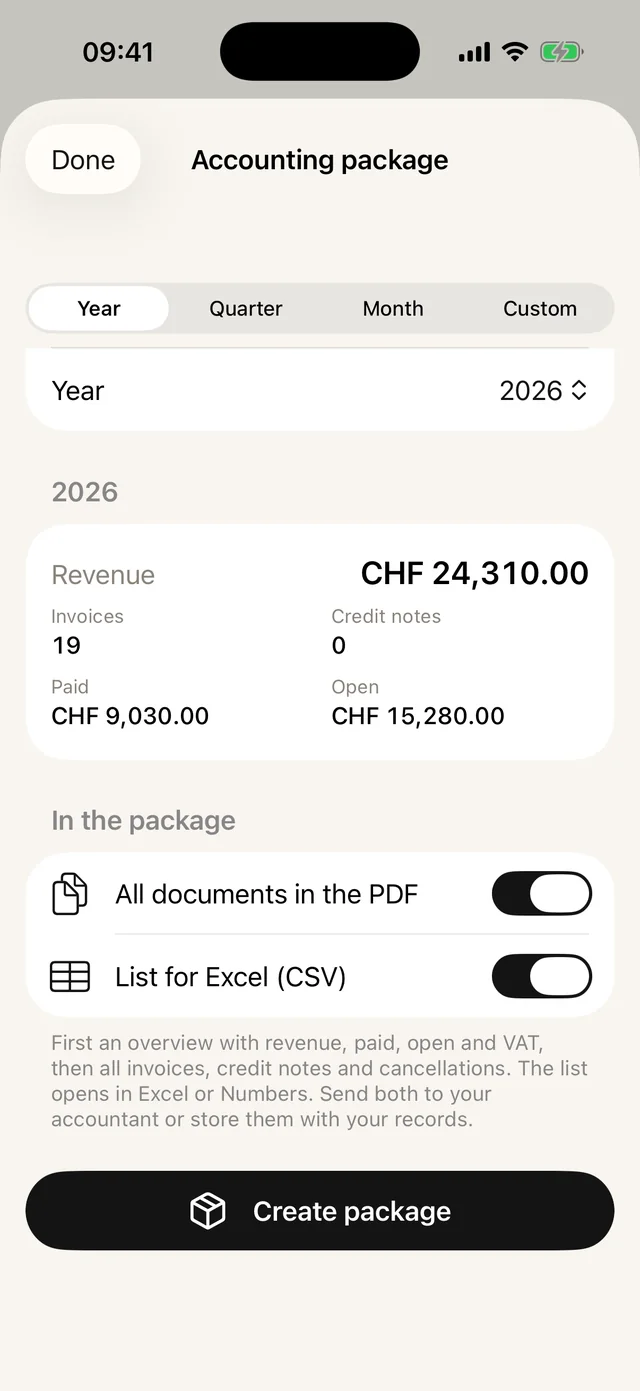
- 03Choose the period
Year, quarter, month or a custom period. You see revenue, paid and open amounts right away.
- 04Choose the content
All documents in the PDF and, if you like, the list for Excel.
- 05Create package
Tap «Create package» at the bottom. Then send it by email or AirDrop, or save it to Files.
What is in the package
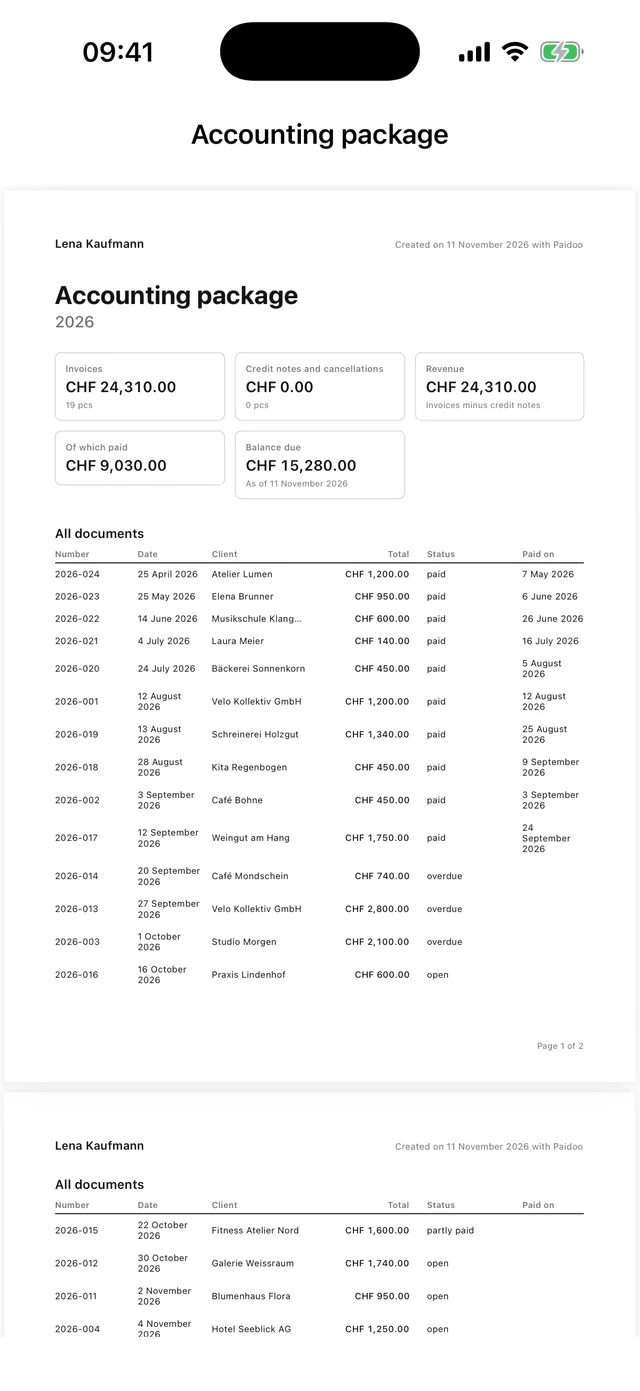
At the front there is an overview for the period you chose:
- Revenue and credit notes
- What has been paid and what is still open
- VAT per rate, if you charge it
- A list of all documents
Behind it come all invoices, credit notes and cancellations as a PDF. If you like, a list for Excel or Numbers comes with it.
What does not come from Paidoo
Paidoo writes your invoices. Receipts for your expenses, bank statements and other records you keep separately. What else your accountant needs and by when, you agree directly with them.
Paidoo is not accounting software and does not replace an archive. So also keep the package where you store your records.
Small tips
- Per quarter or per year: ask your accountant what they prefer. Paidoo can do both.
- Check your open invoices first. Anything not yet paid shows as open in the package.
- Cancel a wrong invoice instead of deleting it. Then both are in the package: the invoice and the cancellation.
In Paidoo
How it works, in three steps.
- 1Open the package
Settings, «Invoices», «Accounting package».
- 2Choose the period
Year, quarter, month or custom period.
- 3Create and send
«Create package» and send the PDF, with the list if you like, to your accountant by email or AirDrop.
Questions
Frequently asked questions.
Write to us. We answer personally, usually the same day.
support@paidoo.appIs the accounting package free?
Yes. The package is available without Paidoo Pro too.
What is in the package?
A PDF with an overview (revenue, credit notes, paid, open, VAT per rate, list of all documents) followed by all invoices, credit notes and cancellations. If you like, also a list for Excel or Numbers.
Can I choose my own period?
Yes. Besides year, quarter and month you can choose a custom period, for example for a financial year that does not start in January.
Does Paidoo replace my accounting?
No. Paidoo writes invoices and keeps track of open amounts. The package is the clean handover to your accountant or your bookkeeping.
What else does my accountant need?
That varies from case to case. Ask them directly. Paidoo provides the part with your invoices.
You do the work.Paidoo does the invoice.
Invoices in a minute on the iPhone, iPad and Mac. No account, no subscription, your data stays with you. The first 5 invoices are free, Pro is a one-off CHF 29.