
iPad
Invoice app for iPad: invoices with plenty of room.
Invoices and quotes on iPad, for Switzerland and many EU countries, with a QR payment part in Switzerland. What an invoice app for iPad should be able to do.
- 5 invoices free
- No subscription
- No account

In short
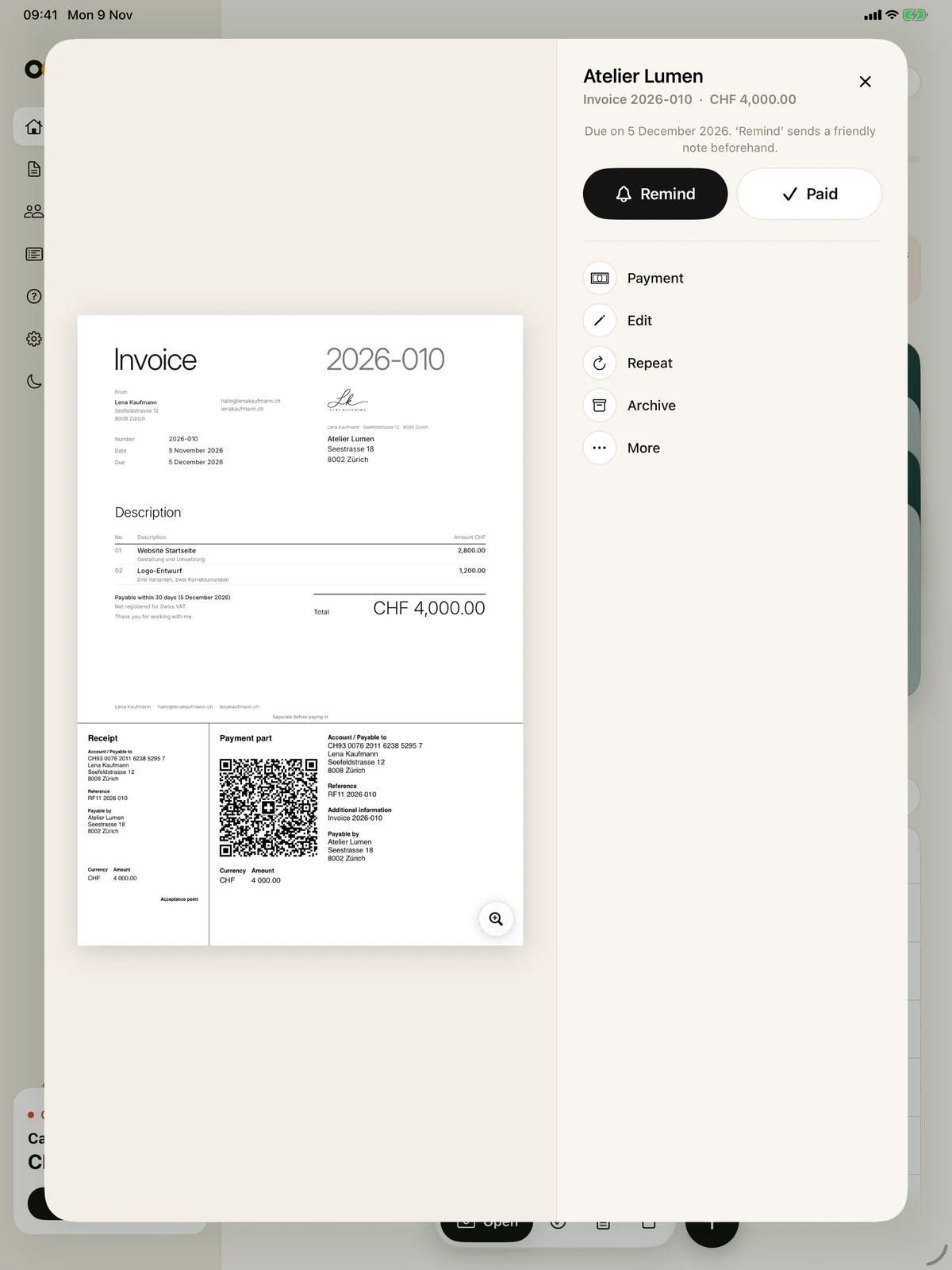
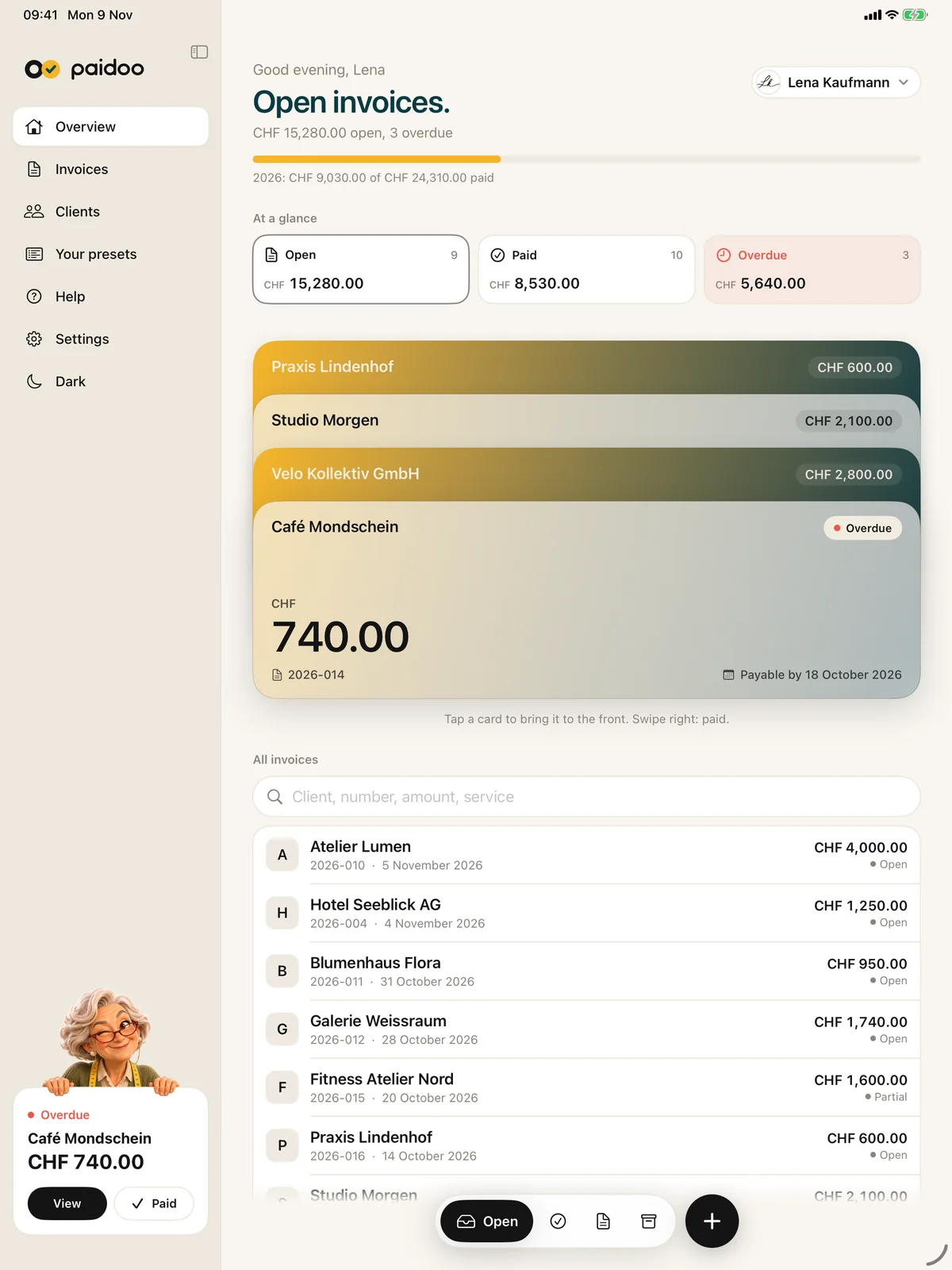
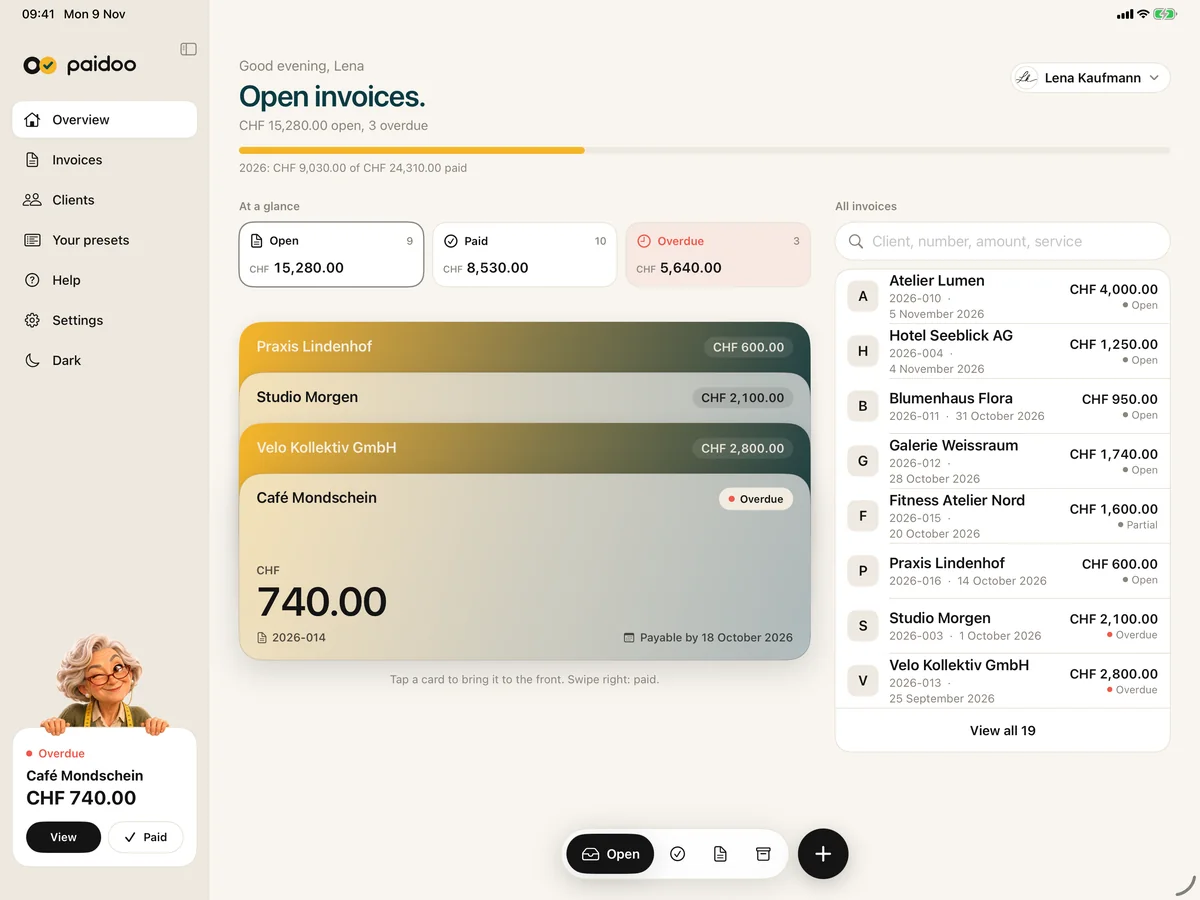
On iPad you have room: the sidebar on the left, the invoice at full size on the right. With Paidoo you write invoices, quotes and payment reminders on iPad, with a QR payment part for Switzerland and Liechtenstein, without an account and without a subscription.
iNo guarantee. We explain the basics to the best of our knowledge, as of November 2026. The information applies to Switzerland unless stated otherwise. Laws, rates and thresholds change and depend on your situation. This is not legal or tax advice. If in doubt, ask your tax office or a professional.
When the iPad fits
Show the quote at the customer’s, check the invoice calmly in the studio, deal with reminders on the sofa in the evening: on iPad you see the invoice large without going to the computer.
What to look for
- A QR payment part to the Swiss standard, not just a QR code.
- Seeing the invoice at full size before it goes out.
- The same invoices on iPhone and Mac, without an account.
- No subscription if you only write invoices now and then.
What Paidoo can do on iPad
- Sidebar with Overview, Invoices, Clients and your presets.
- Large preview with a magnifier, with Remind, Paid and more next to it.
- With a keyboard: ⌘N for a new invoice, ⇧⌘N for a new quote.
- Light or dark, Face ID or a code as app lock.
- Send by Mail, Messages, WhatsApp, AirDrop or Files.
iPad, iPhone and Mac
With the same Apple ID and iCloud sync, you have the same invoices on your iPad as on your iPhone and Mac. One purchase of Paidoo Pro works on all three devices.
How to write an invoice on iPad
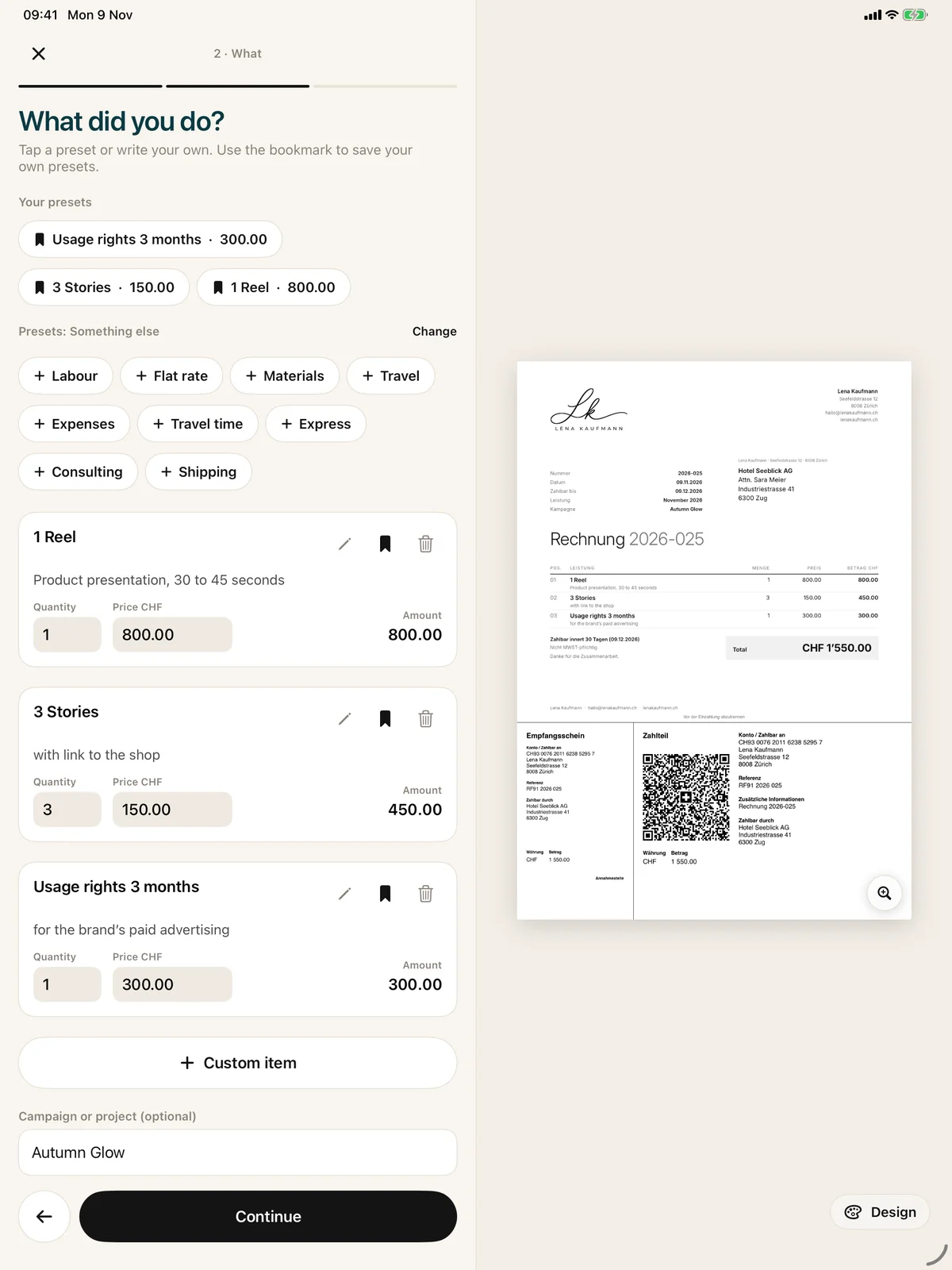
You start a new invoice with the plus or with ⌘N on the keyboard. Paidoo takes you through «Who», «What» and «Check», and the invoice grows alongside:
- 01Who
Type a name or search your customers. Paidoo suggests known customers as you type.
- 02What
Type or tap your services. «Your presets» show up as you type, with their price.
- 03Check
Paidoo shows whether the usual required details are on it, and what is still missing.
- 04Done
Send it as a PDF, print it, or remind and chase it later.
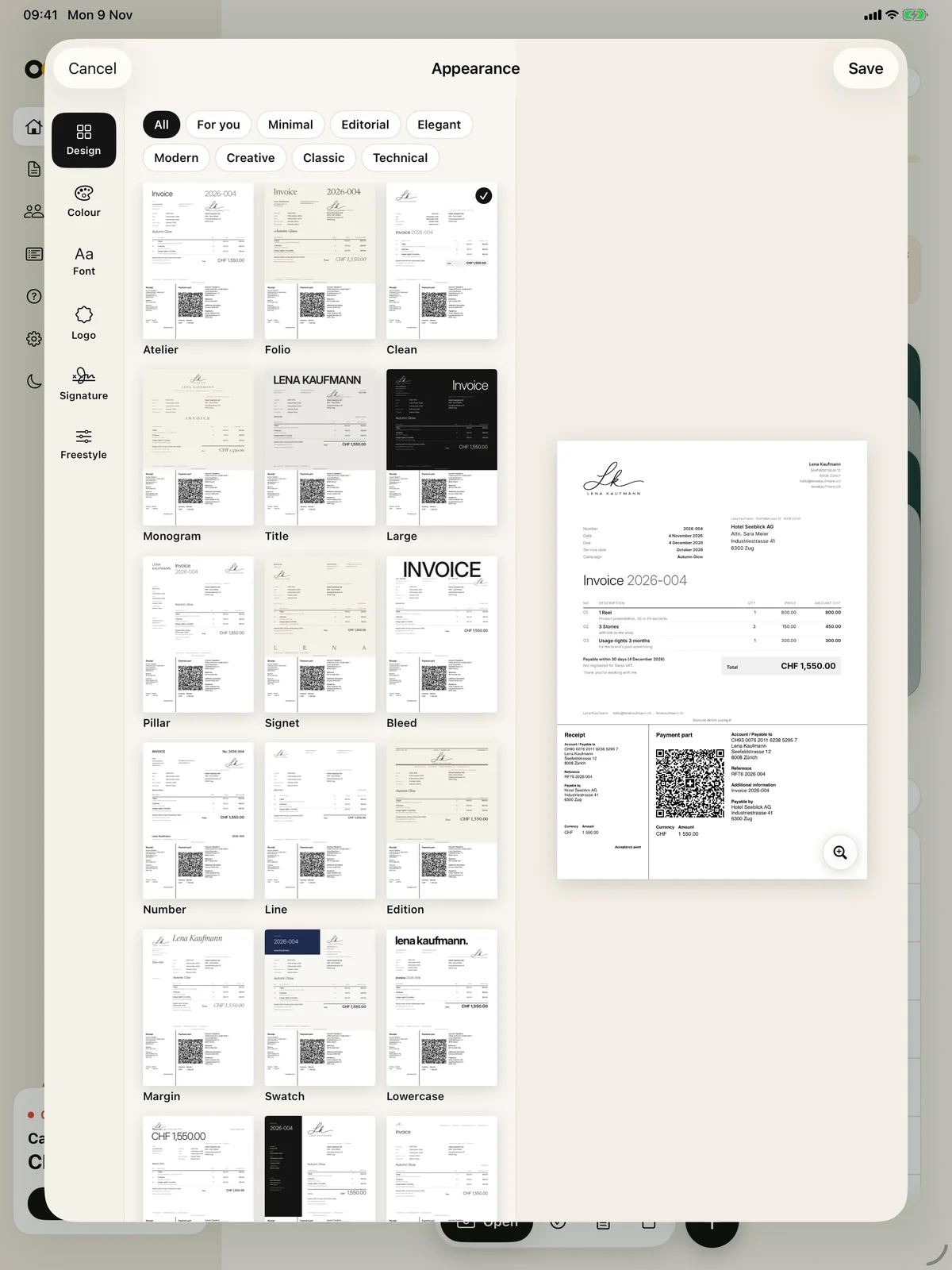
You choose the look with the «Design» button or under «Appearance» at «Check»: 100 designs, plus your logo and your colour. You see the invoice just as it will arrive.
Your look in the Studio
In the Studio you set how your invoices look: design, colour, font, logo and signature. What you choose applies to all new invoices, and on iPad you see every change straight away in the large preview.
17 designs and the signature are free. All 100 designs, your logo, your colour, your paper and your font come with Paidoo Pro, bought once for iPhone, iPad and Mac.
Remind and chase
When an invoice is due, Paidoo lets you know if you want. From the unpaid invoice you send the reminder, then the payment reminder and finally the final notice with a reminder fee if agreed. You decide the text, deadline and fee yourself.
Reminders are included without Pro too, and they are written in your customer’s language.
Portrait, landscape, keyboard
Portrait or landscape, Paidoo rearranges itself and stays easy to read. With a keyboard on your iPad you type items and texts faster, and the same shortcuts as on the Mac apply.
In Paidoo
How it works, in three steps.
- 1Download the app
Get Paidoo from the App Store, from iPadOS 26.
- 2Set it up
Enter your country, name, address and IBAN, no account needed.
- 3Write the invoice
Choose the customer, tap the services, check and send.
Questions
Frequently asked questions.
Write to us. We answer personally, usually the same day.
support@paidoo.appIs there a good invoice app for iPad?
Paidoo runs on iPad from iPadOS 26, with a sidebar, a large preview and, in Switzerland, a QR payment part. The first 5 invoices are free, then CHF 29 once.
Can I create a QR-bill on iPad?
Yes, with a QR payment part to the Swiss standard, in CHF or EUR.
Does Paidoo work with a keyboard on iPad?
Yes. With a keyboard, ⌘N, ⇧⌘N and ⌘, work as on the Mac.
Do I have to buy Paidoo again for the iPad?
No. With the same Apple ID, Paidoo Pro works on iPhone, iPad and Mac.
Do I have the same invoices on my iPad as on my iPhone?
Yes, with iCloud sync and the same Apple ID.
Can I write invoices in euros on iPad?
Yes. Paidoo writes invoices in 10 currencies and 22 languages, with the VAT rates of 25 countries. The QR payment part is for senders in Switzerland and Liechtenstein, elsewhere your customers pay by bank transfer to your IBAN.
Can I send payment reminders on iPad?
Yes. From the unpaid invoice you send the reminder, payment reminder and final notice with a reminder fee if agreed, without Pro too.
You do the work.Paidoo does the invoice.
Invoices in a minute on the iPhone, iPad and Mac. No account, no subscription, your data stays with you. The first 5 invoices are free, Pro is a one-off CHF 29.