
Cancellation
Cancel an invoice: correct it properly instead of deleting it.
A mistake on your invoice? Why you should not delete it, when a cancellation is needed and how to cancel in Paidoo and write a corrected invoice.
- 5 invoices free
- No subscription
- No account

In short
You do not delete an invoice you have sent, you cancel it. The cancellation is a credit note for the full amount that refers to the old invoice. After that you write a corrected invoice if needed. In Paidoo you do both in one step.
iNo guarantee. We explain the basics to the best of our knowledge, as of November 2026. The information applies to Switzerland unless stated otherwise. Laws, rates and thresholds change and depend on your situation. This is not legal or tax advice. If in doubt, ask your tax office or a professional.
Which mistake, which solution
| Situation | What you do |
|---|---|
| Wrong amount, wrong address, wrong service | cancel and write a corrected invoice |
| The whole job is off | cancel, with no new invoice |
| Only part falls away or a discount is added | credit note for the partial amount |
| Sent twice | cancel one of the two |
Why not just delete it?
Your customer already has the invoice and may have recorded it. If it disappears on your side, numbers and amounts no longer match. If you are registered for VAT, the tax has to be corrected properly too.
With a cancellation everything stays traceable: the old invoice, the cancellation and the new invoice, each with its own number.
What goes on a cancellation
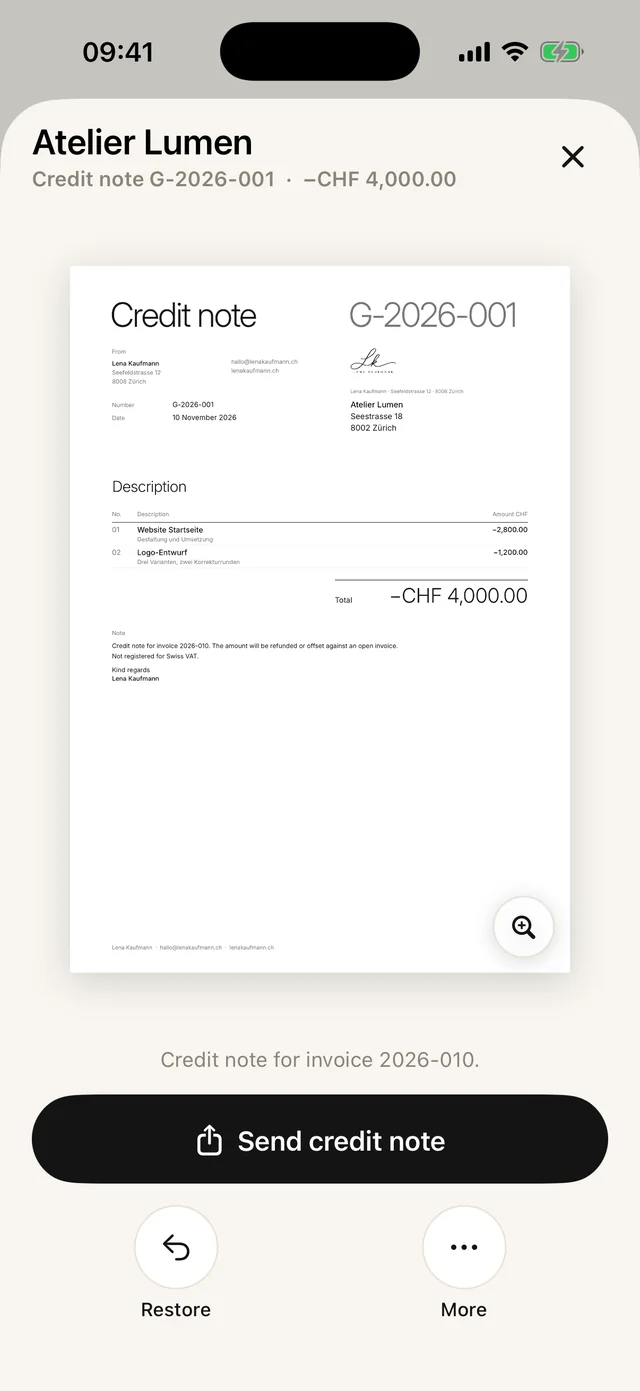
- Its own number, in Paidoo with G- for credit note
- Number and date of the cancelled invoice
- The full amount as a credit, with the VAT share if you are registered
- A clear sentence that the invoice is cancelled with it
If your customer has already paid, you pay the amount back or offset it against the corrected invoice. The guide to credit notes explains partial credit notes.
What Paidoo does when you cancel
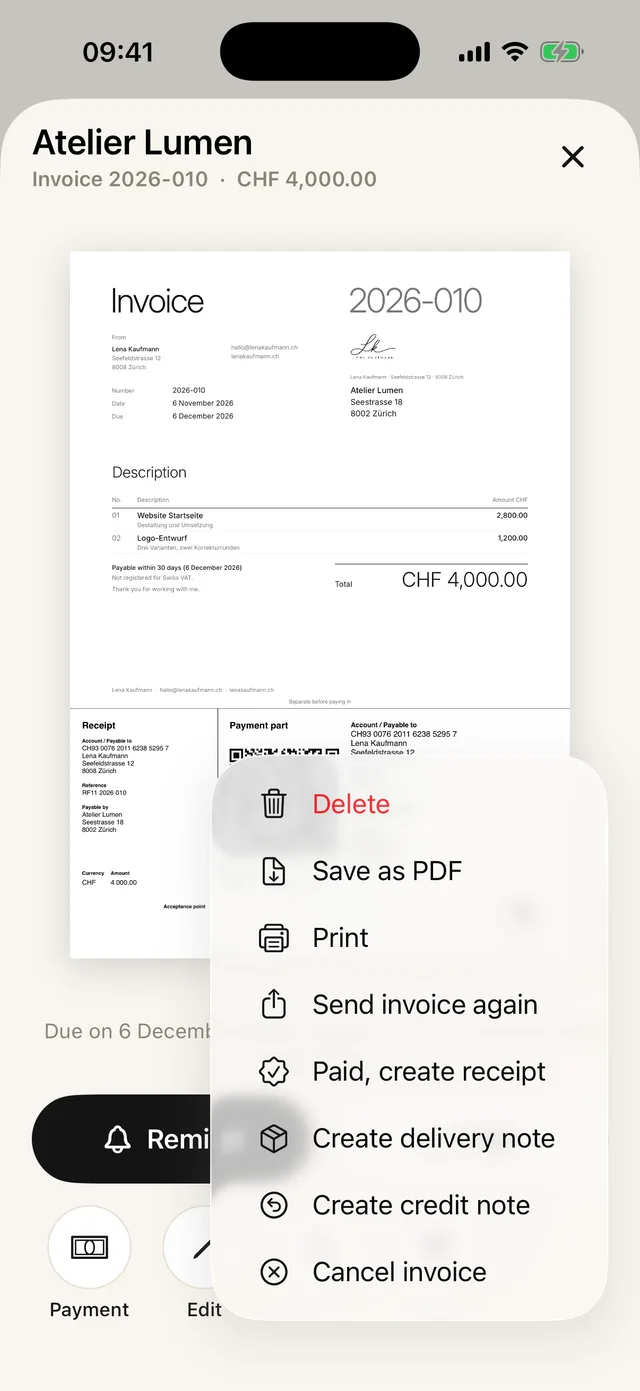
You find "Cancel invoice" in the invoice under "More". After that:
- The invoice and the cancellation go to the archive and stay searchable.
- The invoice then says, for example, "Cancelled with credit note G-2026-003."
- If your customer has already paid, an English cancellation says: "I will refund the amount already paid."
- If there was a partial credit note before, Paidoo deducts it. That way nothing is credited twice.
Just a typo?
If you want to edit an invoice you have sent, Paidoo asks: "Cancel and write a corrected one" or "Change it directly anyway". For a small typo, for example in a description, you can change it directly and send the invoice again. The number stays the same.
If the amount, address or service is wrong, cancelling is the clean way.
Example: wrong amount
- 01Invoice 2026-031
Sent to Studio Morgen for CHF 850.00. It should have been CHF 580.00.
- 02Cancellation G-2026-003
With "Cancel and write a corrected one" the credit note for CHF 850.00 is created.
- 03New invoice 2026-032
Paidoo opens a copy. You correct the price and finish it.
- 04Send both
With a sentence, for example: "Invoice 2026-031 is cancelled, please only pay the new invoice 2026-032."
In Paidoo
How it works, in three steps.
- 1Open the invoice
Tap the wrong invoice among the unpaid ones or in the archive.
- 2Cancel
Tap "Cancel invoice" to create a credit note for the full amount. The PDF says it cancels the invoice with its number and that the invoice is fully void.
- 3Write it again, corrected
With the option to cancel and rewrite, Paidoo opens a copy straight away. You fix the mistake and send the cancellation and the new invoice together.
Questions
Frequently asked questions.
Write to us. We answer personally, usually the same day.
support@paidoo.appCan I simply delete an invoice?
You should not delete an invoice you have sent. It has reached your customer and belongs to your records. A cancellation voids it properly.
What is the difference between a cancellation and a credit note?
A cancellation is a credit note for the full amount, and the invoice is void. A normal credit note can also take back just part, for example for a discount given afterwards.
Does the corrected invoice get a new number?
Yes, a new invoice always gets a new number. The old number stays with the cancellation, so there are no gaps.
Does the corrected invoice count towards the five free invoices?
No. If you write a corrected invoice after a cancellation, it does not count towards the free invoices. So a mistake does not cost you one of them.
Do I have to tell my customer?
Yes, send the cancellation and the corrected invoice together, with a short sentence. That way they know which invoice applies.
How do I keep cancellations?
In the settings you create the «Accounting package» for a year or another period. It contains all invoices, credit notes and cancellations as a PDF. Paidoo does not replace an archive for your accounts, so also file it with your records.
Does the cancellation count towards the free invoices?
No. A cancellation is a credit note, and credit notes do not count towards the 5 free invoices.
You do the work.Paidoo does the invoice.
Invoices in a minute on the iPhone, iPad and Mac. No account, no subscription, your data stays with you. The first 5 invoices are free, Pro is a one-off CHF 29.